
AI flowchart generator
AI flowchart generator: text in, tidy flowchart out.
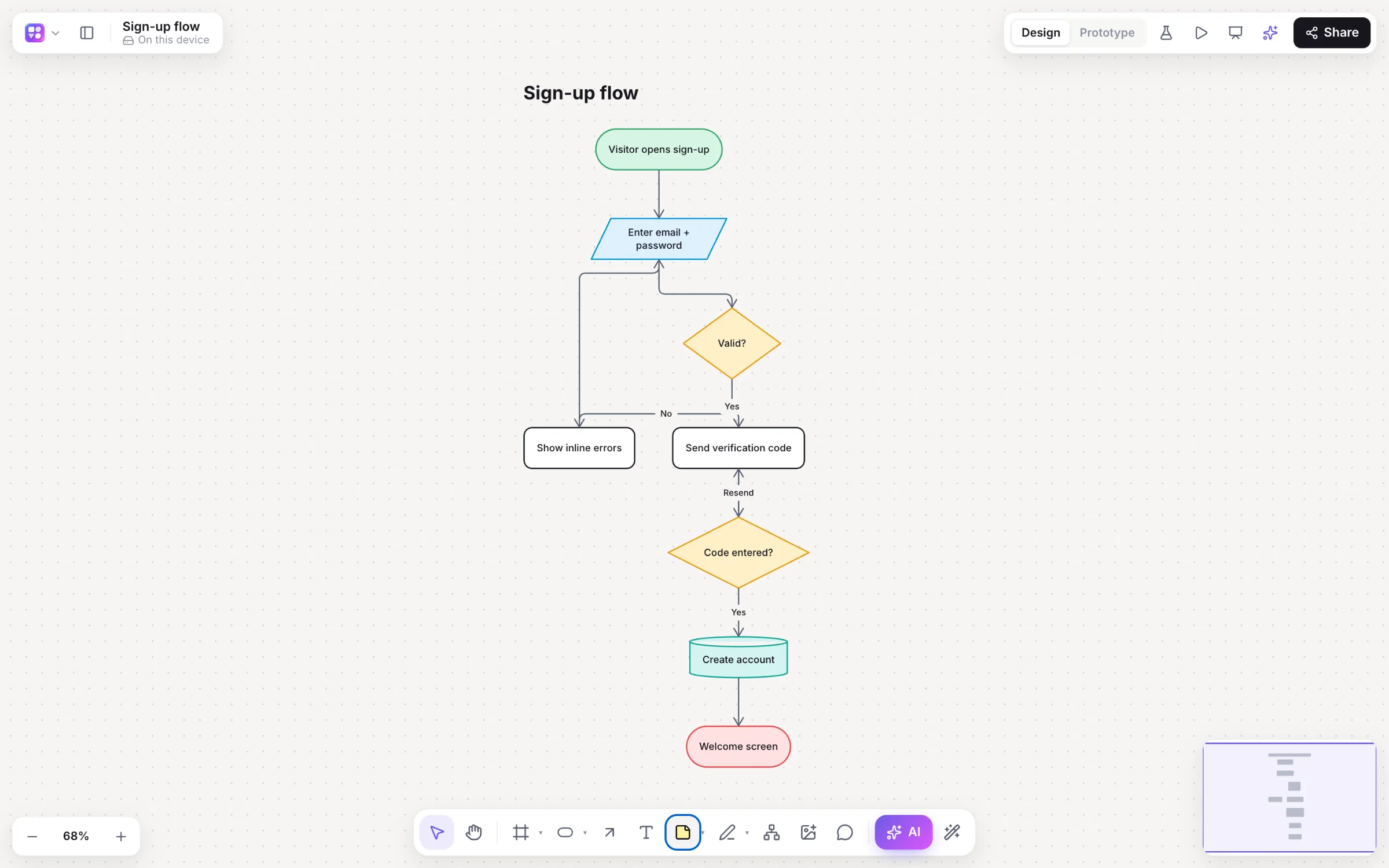
Describe a process and Builderii draws it: typed steps, decisions and labelled arrows, laid out by a real layout engine so it’s readable at a glance. Ask for changes and only what changes moves.
Works in your browser · No card · Free while it’s new
What you get
Flowcharts, the fast way.
Whiteboard photo to flowchart
Snap a photo of a whiteboard or a sketch; the AI bar’s image button turns it into an editable flowchart.
Two-way Mermaid
Paste Mermaid for native shapes, or edit the code and the shapes together in the Diagram as code pane.
Review AI changes
See what the AI added, changed and removed in green, orange and red, and accept or reject each change.
Animated flow
Make connectors animate to show the direction work moves.
Specs from a flow
Every branch becomes user stories and acceptance criteria, with edge cases from the error paths.
Export anywhere
PNG, SVG, PDF, PowerPoint, draw.io and Mermaid.
How it works
From a sentence to a flowchart.
Describe the process
Press /, pick Flowchart and write “how a refund request is approved”.
Get a clean diagram
Start and end, steps, decisions, inputs, documents and databases, joined by labelled elbow arrows that route around shapes.
Change it by asking
Select a step and ask to “add a manager review after this”. The rest stays where it is.
Keep going by hand
⌥+Arrow adds a connected step; one click lays everything out again.
On the canvas
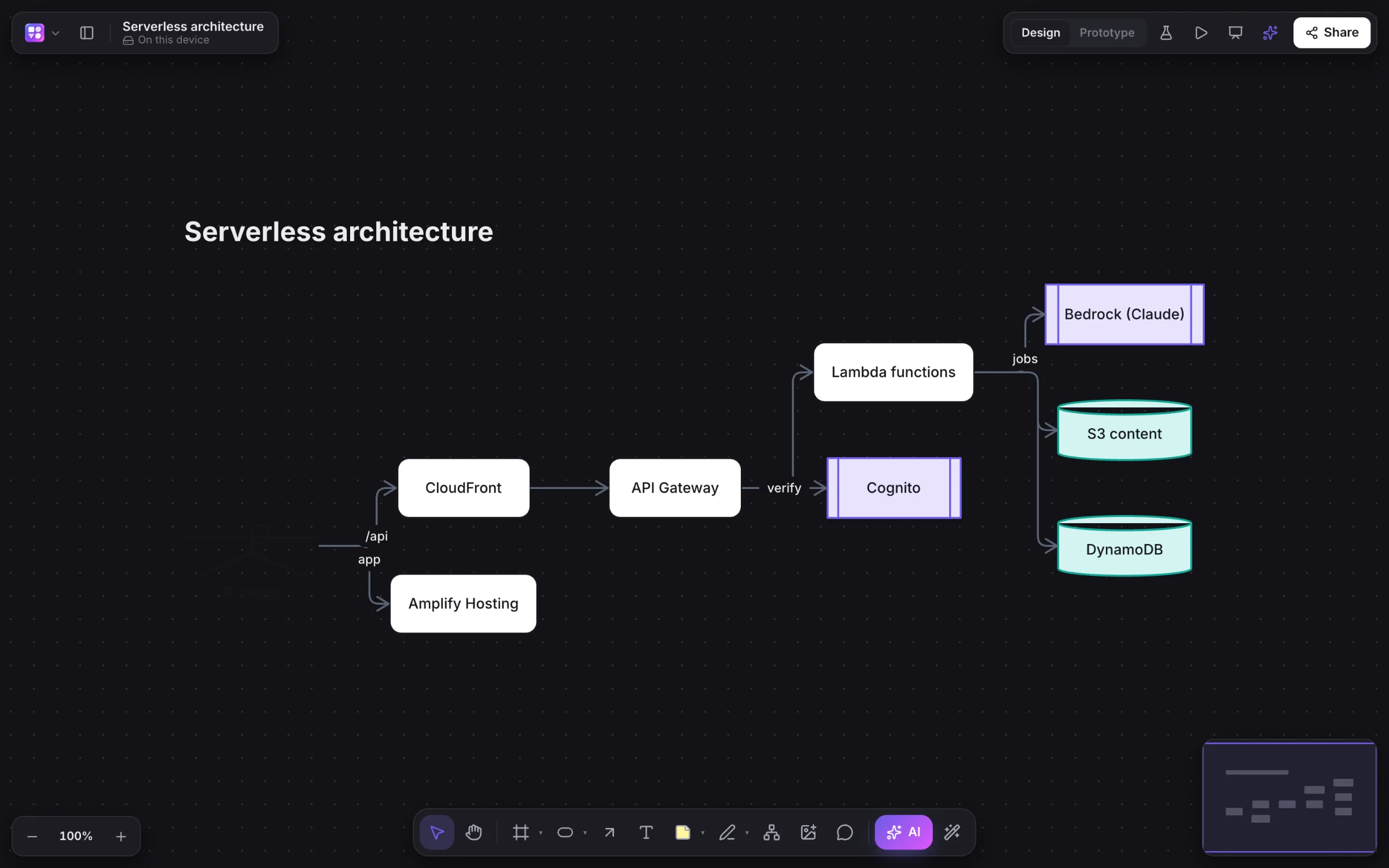
Real boards, made in Builderii.
Questions
Good questions.
Is the AI flowchart generator free?
Yes. Builderii is free while it’s new, with every feature on and 500 AI jobs a month per person. Viewers and commenters will always be free, and paid plans will publish their AI allowances.
Can I edit the flowchart afterwards?
Yes. It’s made of normal shapes and connectors. Type over a step to rename it, drag things around, or ask the AI to change it again.
Can it read a photo of a whiteboard?
Yes. Choose the Flowchart chip, then the AI bar’s image button, and pick the photo.
Does it support Mermaid?
Yes. Paste Mermaid flowchart, sequence or mind map code for native shapes, and export flowcharts back to Mermaid.
Which formats can I export?
PNG, SVG, PDF (a page per frame), PowerPoint with speaker notes, draw.io, Mermaid code, SQL for database diagrams and a Builderii file, or copy the board as an image.
Keep reading
More ways to use Builderii.

What do you want to build?
Start with a prompt, a template or a blank board. It’s free.