
AI wireframe generator
AI wireframe generator: describe it, get linked screens.
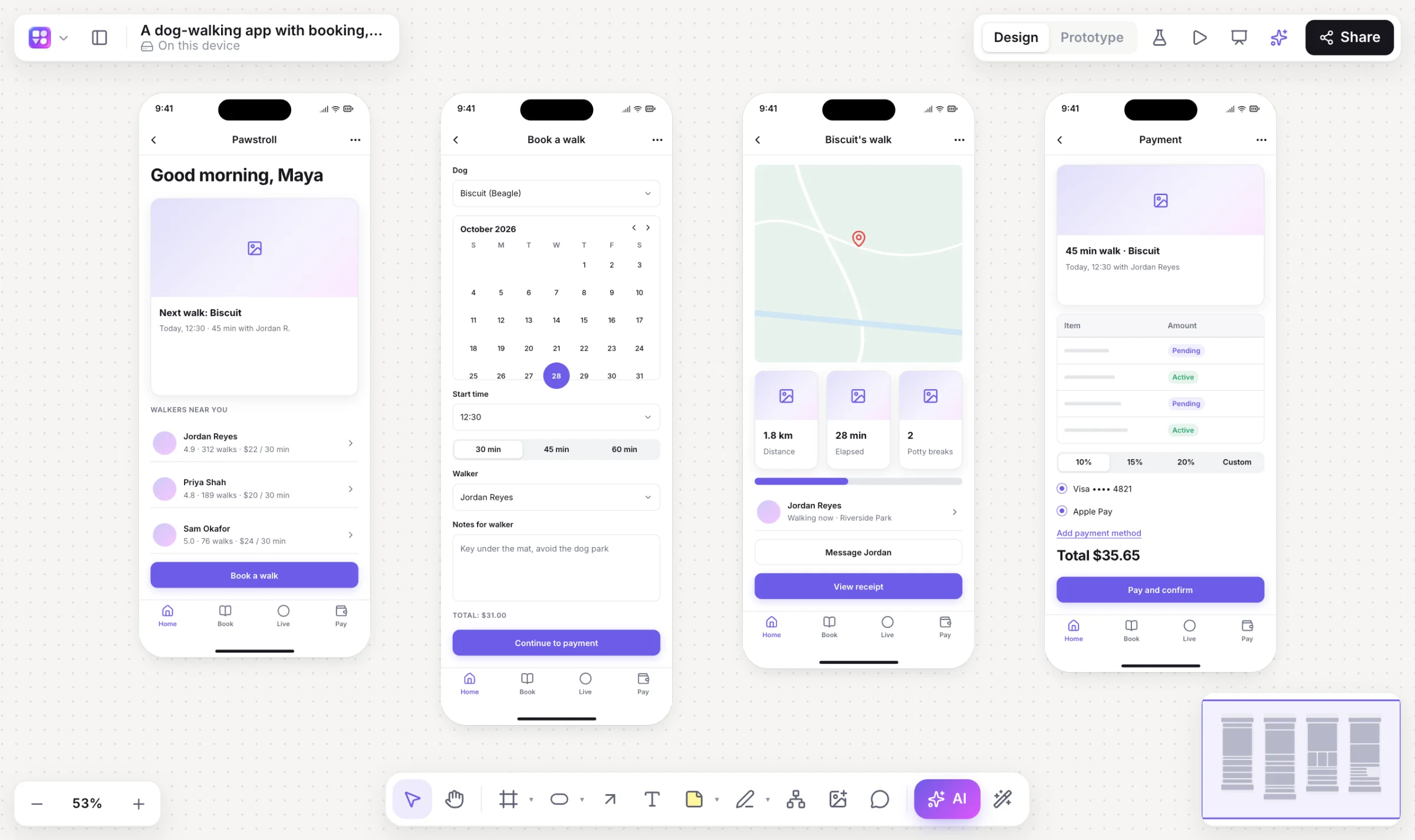
Type what you’re building and Builderii draws its screens in device frames, made of real, editable components and already linked into a prototype. Then change any of it by asking, or by hand.
Works in your browser · No card · Free while it’s new
What you get
More than a first draft.
Screenshot to wireframe
Give the AI bar a screenshot or a photo of a sketch and it rebuilds the interface as editable components.
Sketch to wireframe
Scribble with the marker, select it and choose Sketch → wireframe.
46 real components
Buttons, fields, tab bars, cards, tables, charts, pricing and more, each with editable props.
Any device
iPhone, Android, iPad, web, desktop and watch frames, and one-click versions for another device.
Rendered final designs
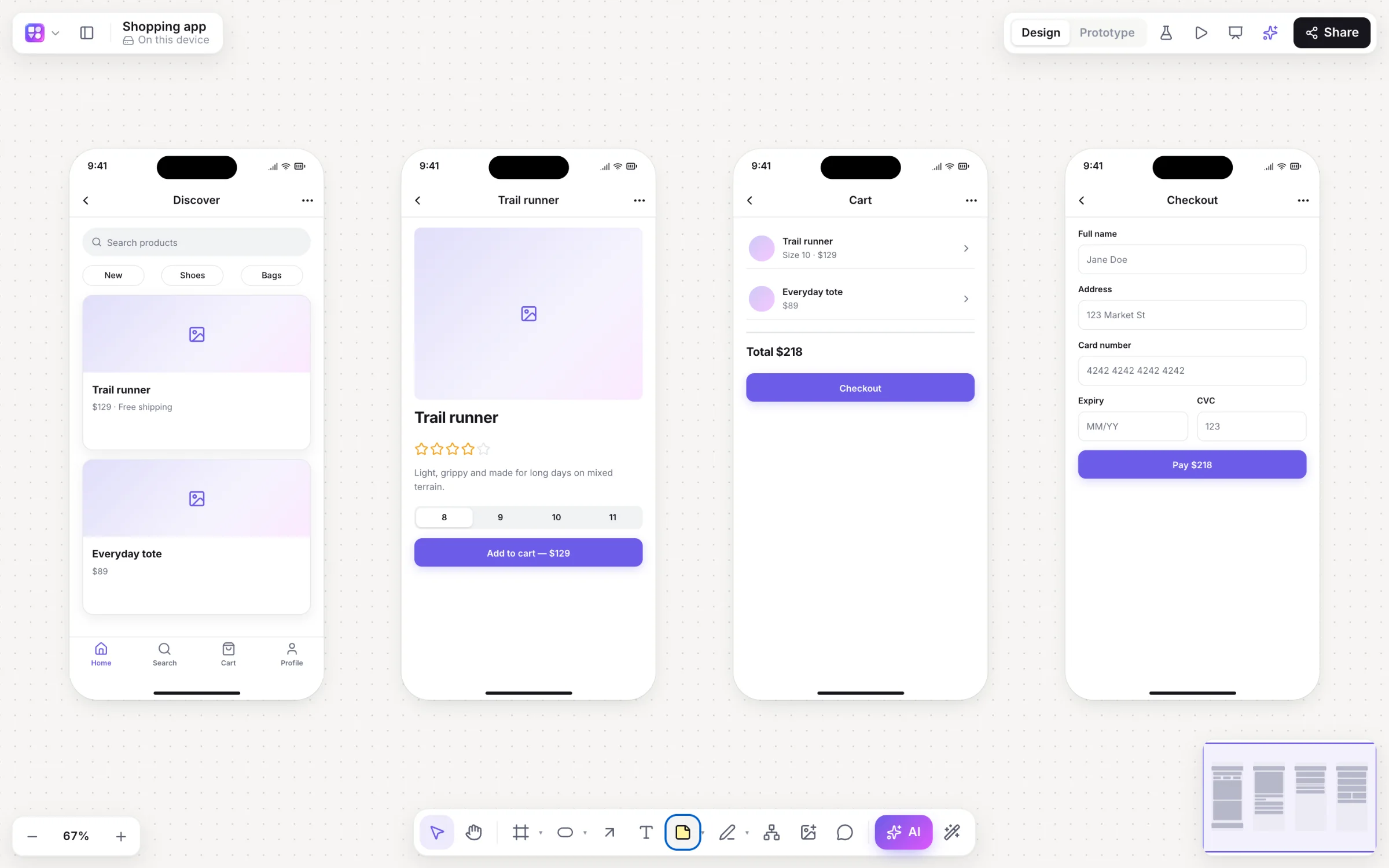
Redraw the screens as final designs styled after similar real apps, with real photos, then Apply to make them editable.
Accessibility check
Contrast, tap targets, labels and more, with one-click fixes.
Screens to code
Make it real turns a screen into a live HTML preview and a React and Tailwind component.
Specs from screens
Write a spec with user stories and Given/When/Then criteria, and export CSV for Jira or Linear.
How it works
From a sentence to a clickable app.
Describe it
On Home, type “a dog-walking app with booking, a live map and payments”, or press / on a board and pick App screens. Choose Mobile or Web.
Get linked screens
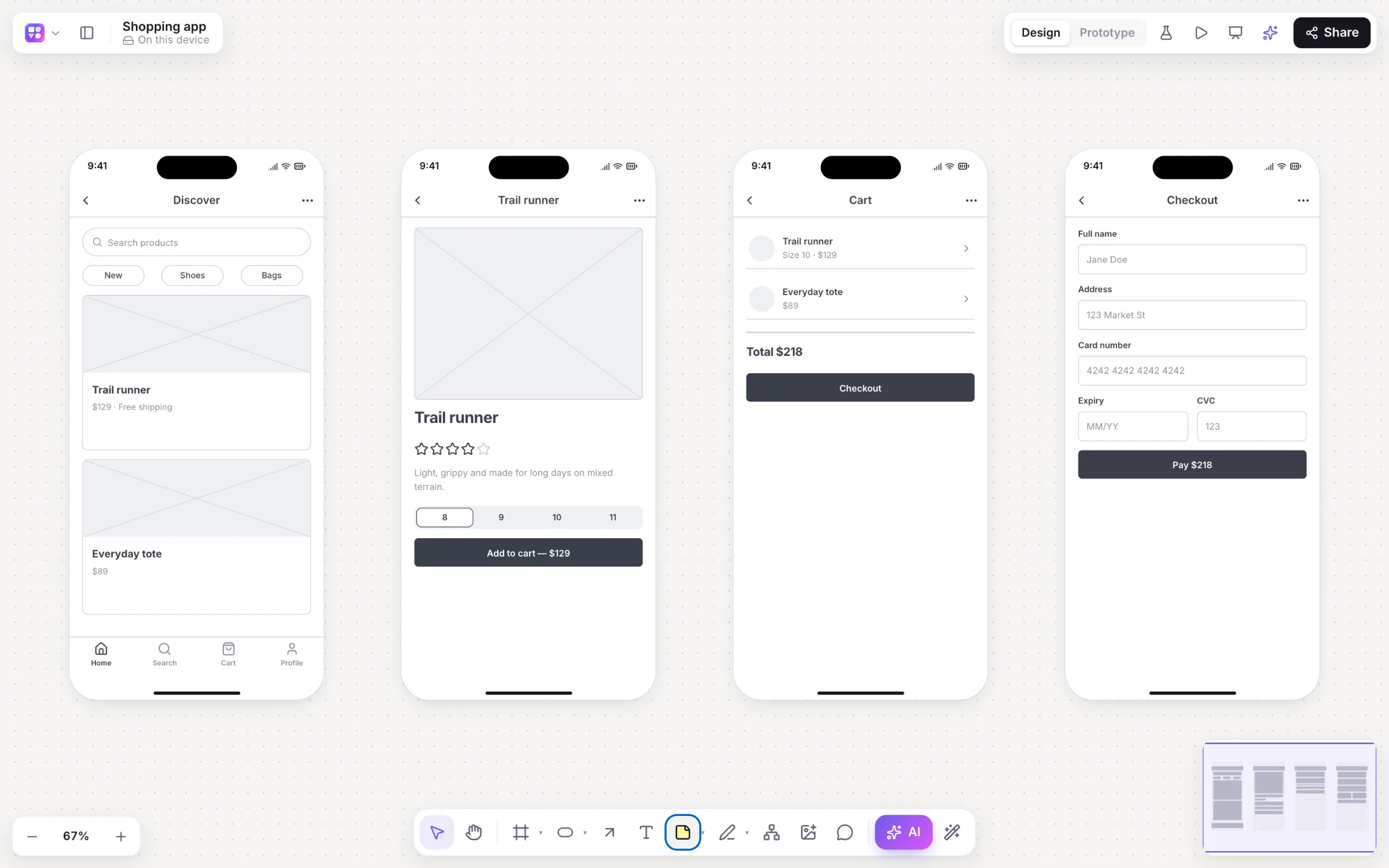
Screens arrive in device frames, built from the wireframe kit, with prototype links and a start screen.
Change it by asking
Select a screen and ask for “a settings screen linked from the profile”. Only what changes is redrawn, as one undo step.
Polish and play
⇧W for high fidelity, your brand from your website, then ⌘↵ to play.
On the canvas
Real boards, made in Builderii.
Questions
Good questions.
Is the AI wireframe generator free?
Yes. Builderii is free while it’s new, with every feature on and 500 AI jobs a month per person. Viewers and commenters will always be free, and paid plans will publish their AI allowances.
Are the generated wireframes editable?
Yes. Every screen is made of the same components you’d drag from the library, with text and props you can edit, inside a normal frame you can resize, link and restyle.
How many screens does it make?
A mobile app prompt gives you a set of linked screens (usually four) and a website prompt a page. Ask for more, such as “add onboarding”, and new screens are added next to the others, linked.
Can it turn a screenshot into a wireframe?
Yes. The AI bar’s image button takes a screenshot or a photo of a sketch and rebuilds it as an editable wireframe. A picture you just drop on the board stays a picture.
Can I make it look like my brand?
Paste your website address and Builderii reads its colours, fonts and corner rounding, then applies them to every high-fidelity screen.
Keep reading
More ways to use Builderii.

What do you want to build?
Start with a prompt, a template or a blank board. It’s free.