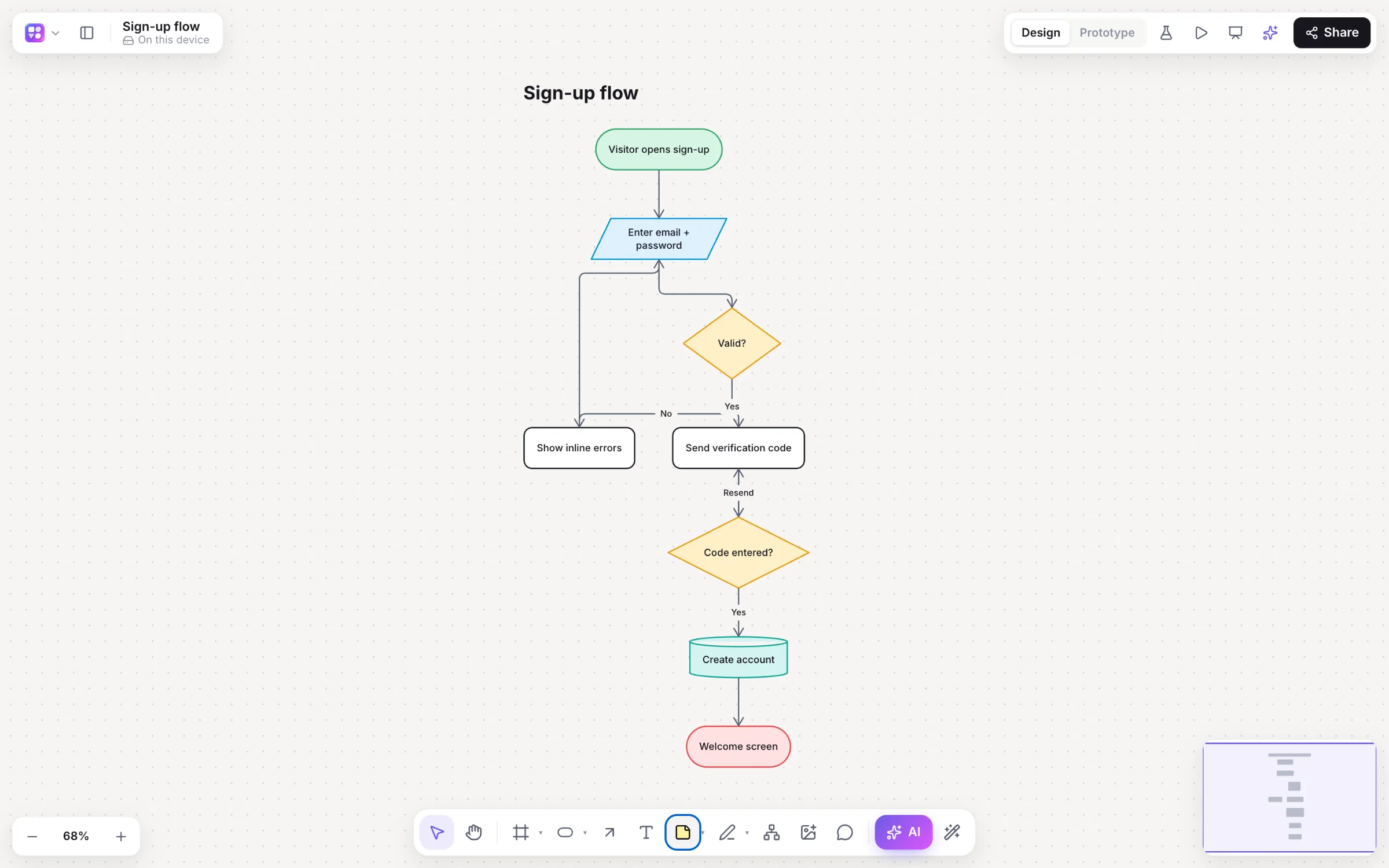
If you love how quick Whimsical is for flowcharts, mind maps and wireframes, Builderii will feel familiar: single-key tools, ⌥+Arrow for the next step, Tab and ↵ for mind maps. Then it keeps going. Link the screens, press Play, and watch people use it.
Works in your browser · No card · Free while it’s new
Builderii · Sign-up flow
Why teams pick Builderii
Fast like you’re used to. Then further.
Keyboard-fast diagrams
Single-key tools, ⌥+Arrow to add a connected shape, one-click auto-layout, and elbow arrows that route around everything.
Clickable prototypes
Link buttons and cards to screens with click or hover, slide, push or dissolve, and play it full screen.
Prototype tests
Send a test link and see tap heatmaps, time on each screen and the step where people gave up.
Wireframe to final design
Low-fi, high-fi in your brand, or Rendered: final designs styled after similar real apps, with real photos.
AI that edits, not just generates
Select a step and ask for “a review step after this”. Changes land in place as one undo step, or wait for your review.
More kinds of diagram
Sequence diagrams, sitemaps, database diagrams from SQL, and roadmaps with real dates you can drag.
Two-way Mermaid
Edit the code or the shapes and each follows. Paste Mermaid anywhere for native, editable shapes.
Export everywhere
PNG, SVG, PDF, PowerPoint with speaker notes, draw.io, Mermaid and SQL.
Switching
Bring your boards across in minutes.
Export an image
Export a Whimsical board as a picture, then give it to the AI bar’s image button: it comes back as an editable flowchart or wireframe.
Or paste Mermaid
Mermaid code pastes in as native shapes, and the Diagram as code pane keeps code and shapes in step.
Start from a template
18 templates, from sign-up flows and checkout to retros, journeys and architecture.
Invite the team
Roles, link access, teams and shared projects, with live cursors from the first minute.
Side by side
Builderii and Whimsical, side by side.
Builderii and Whimsical, side by side.
Feature
Builderii
Whimsical
Flowcharts, mind maps, wireframes and docs
Yes
Yes
Single-key tools and quick-add arrows
Yes, plus ⌘+Arrow, and Tab / ↵ in mind maps
Yes
Clickable prototypes with transitions
Built in, with a full-screen player
Not built in
Prototype tests with tap heatmaps
Built in
Not built in
Wireframe fidelity
Low-fi, high-fi in your brand, and Rendered final designs
A clean low-fidelity kit
AI
Draws nine kinds of diagram and changes them in place, with Review AI changes
Whimsical AI
Export
PNG, SVG, PDF, PowerPoint, draw.io, Mermaid, SQL and JSON
PNG, PDF and SVG
Price to start
Free, with every feature
A free plan with limits; paid plans per editor
Compared from each product’s public pages in October 2026; features change, so check before you decide. Figma, FigJam, Whimsical, Miro, Lucidchart and Balsamiq are trademarks of their owners. Builderii isn’t affiliated with or endorsed by them.
Which to pick
Which one fits your team?
Pick Builderii if…
You go from flow to clickable prototype and don’t want to change tools
You want to test a flow with real people
You need high-fidelity screens in your brand
You want AI that changes the diagram you already have
You export to PowerPoint, draw.io or Mermaid
Pick Whimsical if…
You mostly write docs and make quick diagrams
You don’t need prototypes or user tests
Your team already lives in Whimsical’s docs and projects
Questions
Good questions.
Does Builderii feel like Whimsical?
On purpose, yes: single-key tools (R, O and D for shapes, C for connectors, N for stickies, M for mind maps), ⌥+Arrow to add the next step, Tab and ↵ for mind maps, and one-click auto-layout.
Can I move my Whimsical boards to Builderii?
There’s no direct import. Export a board as an image and the AI bar’s image button turns it into an editable flowchart or wireframe, or paste Mermaid code for native shapes.
What does Builderii do that Whimsical doesn’t?
Clickable prototypes with transitions and a player, prototype tests with tap heatmaps, high-fidelity and Rendered screens in your brand, database diagrams from SQL, two-way Mermaid, and PowerPoint and draw.io export.
Is Builderii free?
Yes. Builderii is free while it’s new, with every feature on and 500 AI jobs a month per person. Viewers and commenters will always be free, and paid plans will publish their AI allowances.
Does it work with Claude and ChatGPT?
Yes. Builderii’s MCP server and plugins let Claude, Claude Code and ChatGPT draw flowcharts, screens and mind maps on your boards, live.