
AI prototype generator
AI prototype generator: describe an app, press Play.
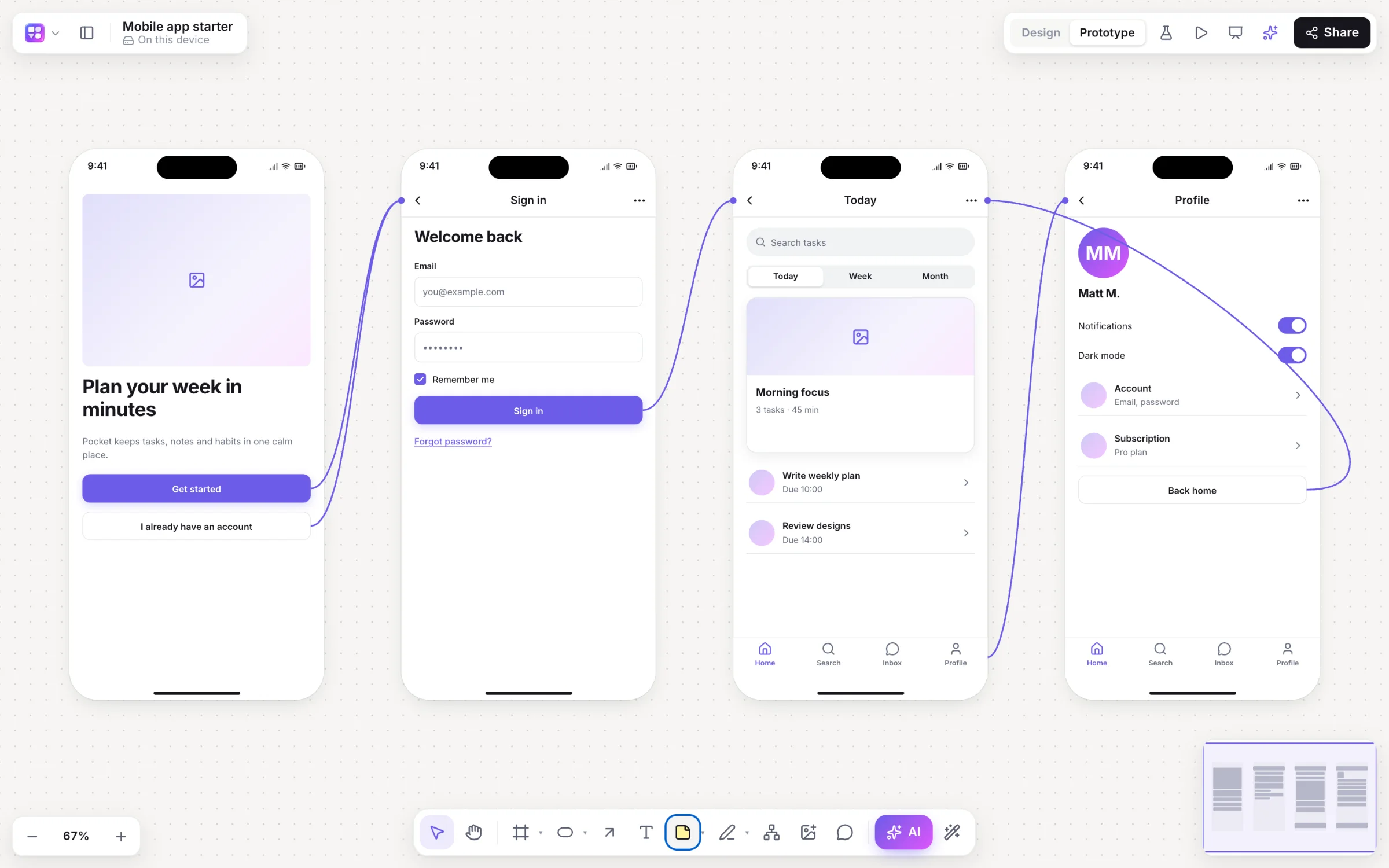
Most AI design tools stop at a picture of a screen. Builderii’s screens arrive already linked into a clickable prototype, with a start screen, so the first thing you can do with them is click through, and the second is send them to someone to try.
Works in your browser · No card · Free while it’s new
In short
Builderii’s AI prototype generator turns a description of an app into one to eight linked screens in device frames, with prototype links between them and a start screen, so you can press Play straight away. Change it by asking, switch it to high fidelity or Rendered, then share a test link: testers need no account, and you see their taps as heatmaps on the board.
- Input
- A description, a screenshot, or the flowchart already on your board
- Output
- One to eight linked screens, ready to play
- Testing
- Share a link; see tap heatmaps, time per screen and drop-off
- Price
- Free while it’s new, with every feature and 200 AI jobs a month
What you get
A prototype, not just a picture.
Linked from the start
Buttons and cards already open the screens they name, with a start screen set.
From your flow
Select a flowchart and ask for “screens for this flow”; it goes along as context.
Wireframe or Rendered
Play the wireframes, or Rendered final designs styled after similar real apps, links included.
Transitions
Click or hover triggers; instant, dissolve, slide and push transitions; a back stack.
Tests with real people
No tester accounts; taps and paths recorded anonymously and kept 180 days.
Then make it real
A live HTML preview and a React and Tailwind component for any screen.
How it works
From a prompt to a tested prototype.
Describe the app
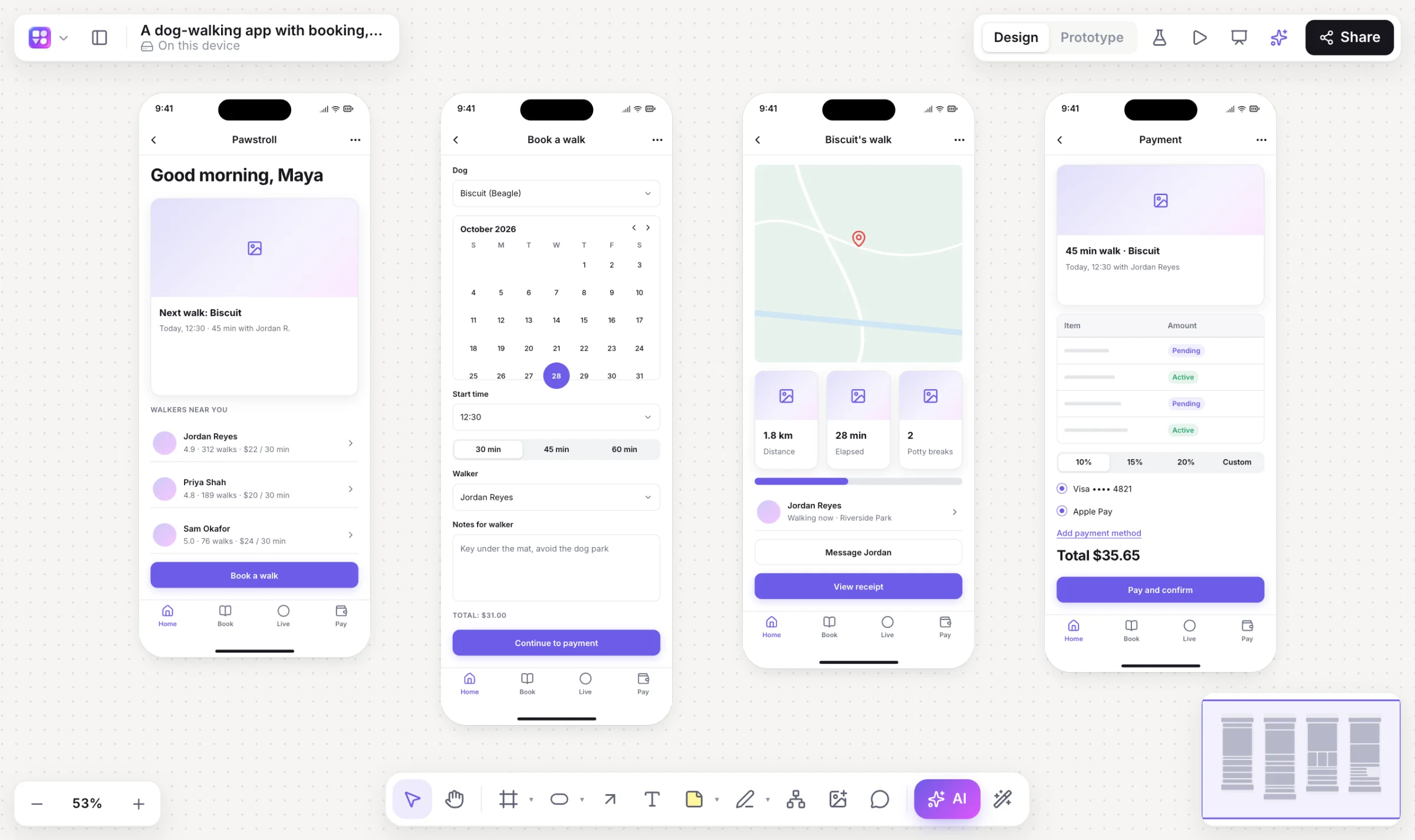
“A habit tracker with onboarding, a daily check-in and streaks.” Choose Mobile or Web.
Play it
Screens arrive linked, with a start screen. Press ⌘↵ to click through.
Refine by asking
“Add a paywall after onboarding.” New screens are added and linked; links into changed screens are kept.
Test it
Copy the test link; testers tap through and you get heatmaps and drop-off on the board.
On the canvas
Real boards, made in Builderii.
Questions
Good questions.
Is the AI prototype generator free?
Yes. Builderii is free while it’s new, with every feature on and 200 AI jobs a month per person. Viewers and commenters will always be free, and paid plans will publish their AI allowances.
How many screens does it make?
One to eight linked screens from a prompt (a mobile prompt usually gives four; a web prompt gives a page). Ask for more, such as “add onboarding”, and they’re added next to the others, linked.
Can testers try it without an account?
Yes. They open the test link, press Start the test and use the prototype; their taps and paths are recorded anonymously.
Can I edit the generated prototype?
Yes. Every screen is made of editable components; change text and props, move things, relink buttons, or ask the AI for changes.
How does the AI work?
Every AI action runs as a job with strict schemas: the AI decides what goes on the board, and Builderii’s own layout engines decide where, so diagrams come out tidy and stay editable. Prompts and boards are never logged.
Keep reading
More ways to use Builderii.

What do you want to build?
Start with a prompt, a template or a blank board. It’s free.