
Guide
How to make a wireframe, step by step.
A good wireframe is quick, honest about what it doesn’t know, and tested before it’s polished. Here’s a seven-step way to make one, by hand or with AI drawing the first draft.
Works in your browser · No card · Free while it’s new
In short
To make a wireframe: define the goal and who it’s for, map the flow of screens, pick the device, block out each screen’s layout with simple components, use real content instead of lorem ipsum, link the screens and test them with a few people, then refine and raise the fidelity. In Builderii you can do it by hand with a 46-component kit, or describe the app and let AI draw linked screens to start from.
- Time
- From 10 minutes for one screen to an afternoon for a flow
- You need
- A goal, the flow, and a wireframe tool (or paper)
- Fidelity
- Start low; raise it once the structure is agreed
- With AI
- Describe the app; get linked screens to edit
Seven steps
How to make a wireframe.
Define the goal
Write down who the screen is for and what they need to get done, such as “a new customer books their first dog walk”.
Map the flow
List the screens in order, with the decisions between them. A quick flowchart helps; so does a mind map of features.
Pick the device
Phone, tablet, web or desktop. Start with the one most people will use.
Block out the layout
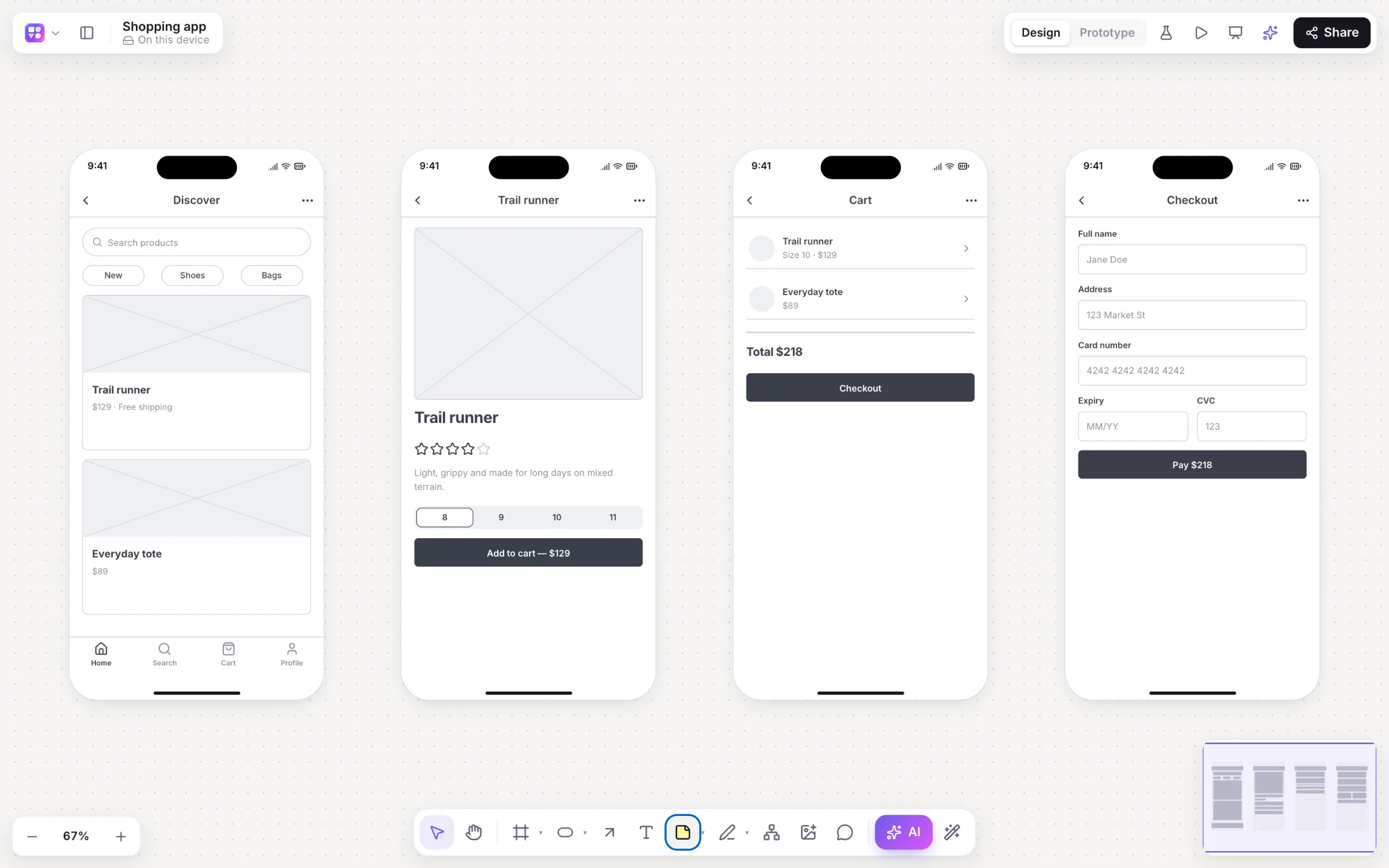
Place navigation, headings, primary actions, lists and images as simple components. Keep it grey and rough.
Use real content
Real labels and plausible data reveal problems lorem ipsum hides, like a button label that doesn’t fit.
Link and test
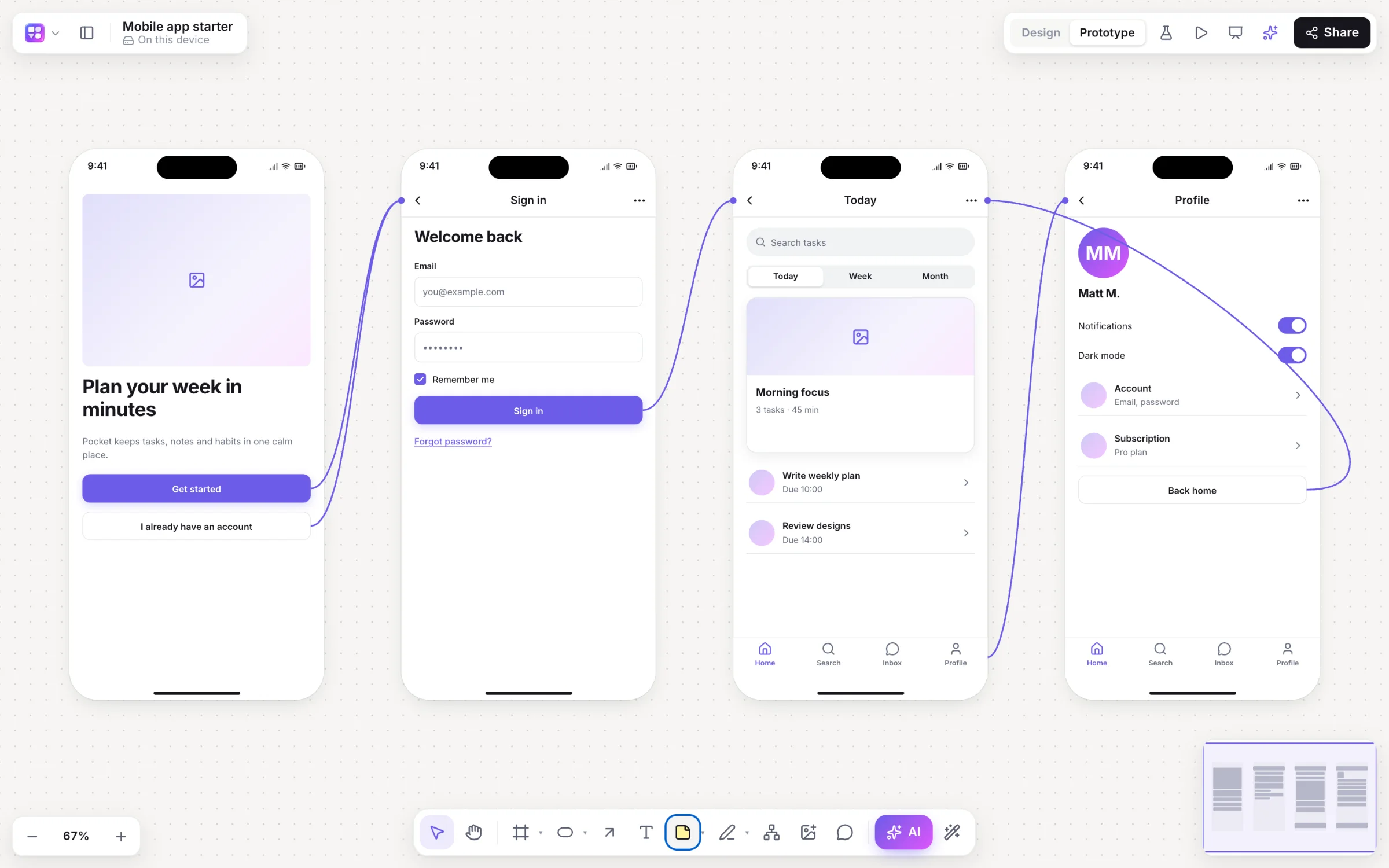
Link the screens into a clickable prototype and ask three to five people to complete the goal. Watch, don’t explain.
Refine, then polish
Fix what tripped people up, then raise the fidelity: brand colours, type and real imagery.
Why wireframe first
Wireframes make the expensive mistakes cheap. Moving a box in a wireframe takes seconds; moving it after visual design, or after it’s built, takes days. A rough look also gets better feedback: people comment on the flow and the content instead of the shade of blue.
What to include
Every wireframe should show the navigation, the screen’s main heading, the primary action and its label, the content that matters (lists, cards, forms) and the states that matter (empty, loading, error). Leave out colours, fonts, imagery and pixel-level spacing; they come later.
Common mistakes
Polishing too early. Designing one screen at a time instead of the flow. Using placeholder text that hides real problems. Skipping the empty and error states. And never testing: a wireframe nobody has tried to use is still a guess.
Doing it with AI
AI is good at the first draft. In Builderii’s AI wireframe generator, describe the app (“a dog-walking app with booking, a live map and payments”) and you get linked screens in device frames, made of real, editable components. Then do steps 5 to 7 yourself: real content, a test, and a round of refinement. You can also turn a screenshot or a photo of a paper sketch into an editable wireframe.
On the canvas
Real boards, made in Builderii.
Questions
Good questions.
What should a wireframe include?
Navigation, the main heading, the primary action, the key content (lists, cards, forms) and the important states (empty, loading, error), in a rough, grey style without final colours, fonts or images.
How long does it take to make a wireframe?
A single screen can take ten minutes; a flow of five to ten screens an afternoon. With AI drawing the first draft, you can have linked screens to react to in a minute.
Can I make a wireframe for free?
Yes. Builderii is free while it’s new, with a 46-component wireframe kit, device frames, AI screens and clickable prototypes. Paper and a pen work too.
Should I wireframe on paper or in a tool?
Paper is great for the first five minutes. A tool lets you reuse components, link screens into a prototype, test with real people and share with your team. In Builderii, a photo of your paper sketch becomes an editable wireframe.
What comes after a wireframe?
A mockup (high-fidelity visual design) and a prototype (linked screens to test). See wireframe vs mockup vs prototype.
Keep reading
More ways to use Builderii.

What do you want to build?
Start with a prompt, a template or a blank board. It’s free.