
Screenshot to wireframe
Screenshot to wireframe: any image to editable screens.
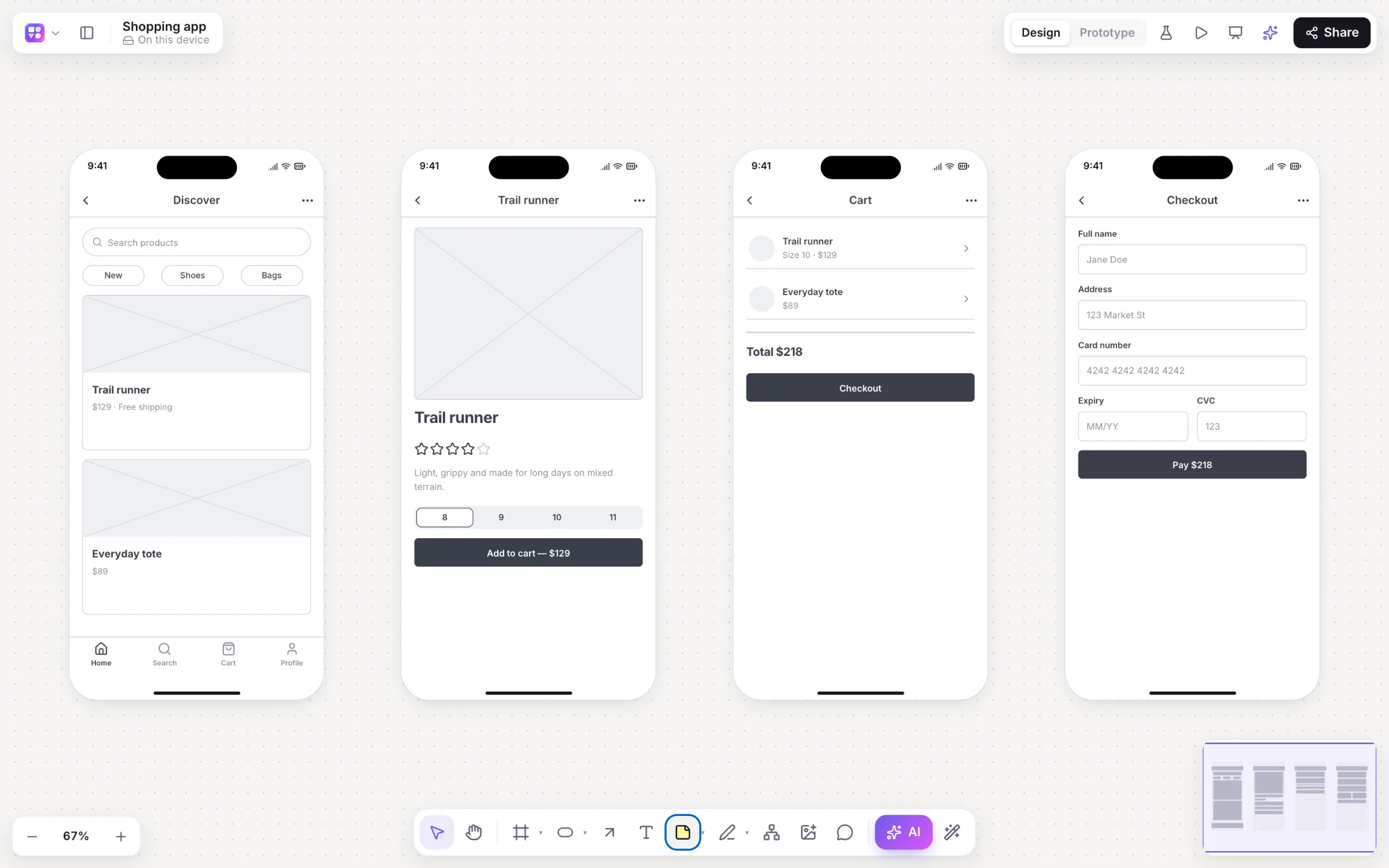
Redesigning an existing app, copying a pattern you like, or digitising a whiteboard session? Give Builderii the picture. It comes back as real, editable components in a device frame, ready to change, restyle and link into a prototype.
Works in your browser · No card · Free while it’s new
In short
Builderii turns pictures of interfaces into editable wireframes. Give the AI bar’s image button a screenshot or a photo of a paper sketch and it rebuilds the screen from real components; draw a screen on the board with the marker and choose Sketch → wireframe; or, with Flowchart chosen, turn a photo of a whiteboard into an editable flowchart. Images you just drop on the board stay images.
- Input
- Screenshots, photos of paper sketches, or a sketch drawn on the board
- Output
- Editable wireframes made of real components, or an editable flowchart
- Then
- Switch fidelity, link screens and press Play
- Price
- Free while it’s new, with every feature and 200 AI jobs a month
What you get
Every kind of picture, made editable.
Screenshots
An app or a website you want to redesign, rebuilt as wireframe components.
Paper sketches
A photo of a sketch on paper becomes a clean wireframe.
Sketches on the board
Draw with the marker (P), select it and choose Sketch → wireframe.
Whiteboard photos
With Flowchart chosen, a photo of a whiteboard becomes an editable flowchart.
Your choice, always
Images you drop or paste stay images; converting one is always your choice.
Straight to a prototype
Link the rebuilt screens and play them, or test them with real people.
How it works
From a picture to an editable screen.
Open the AI bar
Press / on any board.
Press the image button
Choose Screenshot or photo → wireframe / diagram and pick the image.
Get editable screens
Each screen in the image is rebuilt from the component kit, in a device frame.
Make it yours
Edit text and props, switch to high fidelity, or ask for changes.
Questions
Good questions.
Is screenshot to wireframe free?
Yes. Builderii is free while it’s new, with every feature on and 200 AI jobs a month per person. Viewers and commenters will always be free, and paid plans will publish their AI allowances.
Can it read a photo of a paper sketch?
Yes. Give the AI bar’s image button a photo of the sketch and it rebuilds the screen as an editable wireframe.
Can it turn a whiteboard photo into a flowchart?
Yes. Choose Flowchart in the AI bar, then the image button, and pick the photo; you get an editable flowchart.
Does every image I add get converted?
No. Images you drop or paste on the board stay plain images. Converting one is always a choice you make in the AI bar.
Keep reading
More ways to use Builderii.

What do you want to build?
Start with a prompt, a template or a blank board. It’s free.