
User flow diagrams
Map the user flow, then click through it.
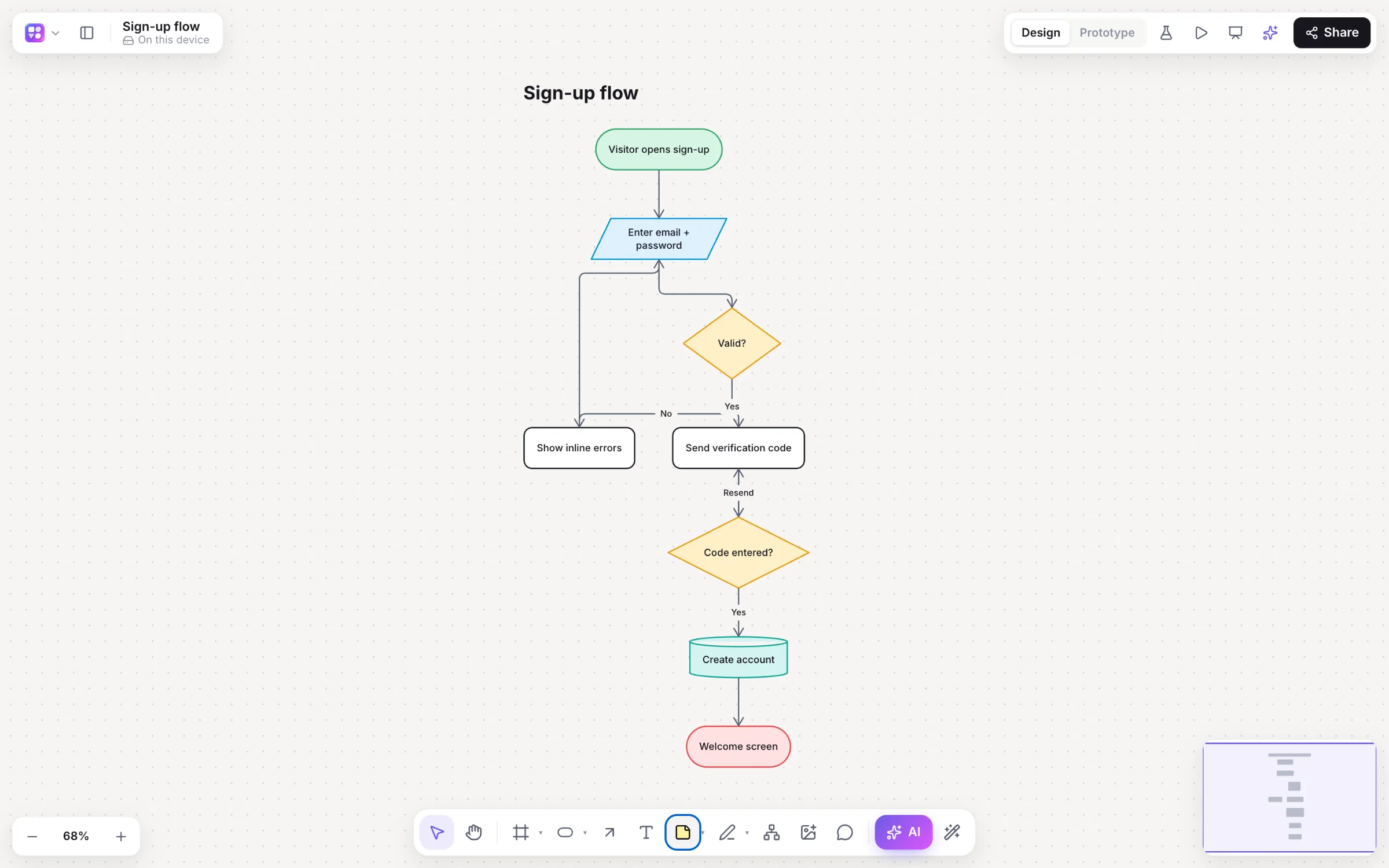
User flows are where product decisions get made: what happens after sign-up, where the error paths go, which screen comes next. Builderii keeps the flow and the screens on one board, so the diagram turns into a prototype instead of a hand-off.
Works in your browser · No card · Free while it’s new
In short
A user flow diagram maps the steps a person takes to reach a goal in your product, such as signing up or checking out, including the decisions and error paths along the way. Builderii draws user flows from a sentence or from the keyboard, then turns the flow into linked screens on the same board, so the flow becomes a clickable prototype you can test.
- What it is
- A diagram of the steps, screens and decisions on a person’s way to a goal
- In Builderii
- Draw it with AI or the keyboard, then ask for “screens for this flow”
- Then
- Play the prototype and test it with real people
- Price
- Free while it’s new, with every feature and 200 AI jobs a month
What you get
Everything a user flow leads to.
Flowcharts that lay themselves out
Typed steps, decisions and labelled arrows, re-laid out in one click.
A critique on request
The Builderii AI chat knows the board and can review a flow for gaps.
Screens from the flow
Linked app screens drawn from the flow you selected.
Test the real thing
Tap heatmaps, time per screen and drop-off from real testers.
Specs from the flow
User stories with Given/When/Then criteria for every branch, and edge cases from the error paths.
Flow templates
Sign-up flow, checkout process, onboarding prototype and user journey map.
How it works
From flow to prototype.
Map the flow
Describe it (“checkout with guest and saved-card paths”) or build it with ⌥+Arrow.
Check the branches
Ask Builderii AI in the chat to critique the flow and find missing error paths.
Get the screens
Select the flow and ask for screens for it; they arrive linked.
Test it
Press Play, then share a test link and see where people stopped.
Questions
Good questions.
What is a user flow diagram?
A diagram of the steps a person takes in a product to reach a goal, such as signing up, booking or checking out, with the screens, decisions and error paths along the way. It’s a flowchart focused on the user.
What’s the difference between a user flow and a user journey map?
A user flow maps the steps and decisions inside the product. A user journey map covers the wider experience over time: stages, actions, thoughts and feelings, often outside the product too. Builderii has templates for both.
Can Builderii turn a user flow into screens?
Yes. Select the flow, open the AI bar and ask for screens for it; the screens arrive linked into a clickable prototype.
Is it free?
Yes. Builderii is free while it’s new, with every feature on and 200 AI jobs a month per person. Viewers and commenters will always be free, and paid plans will publish their AI allowances.
Keep reading
More ways to use Builderii.

What do you want to build?
Start with a prompt, a template or a blank board. It’s free.