
Guide
Wireframe vs mockup vs prototype, explained.
Three words that get used interchangeably, for three different jobs. Here’s what each one is, what it’s for, and when to move from one to the next.
Works in your browser · No card · Free while it’s new
In short
A wireframe is a low-fidelity layout of a screen: boxes, labels and structure, with no visual design. A mockup is a static, high-fidelity picture of how the screen will look, with colour, type and images. A prototype is interactive: screens linked so people can click or tap through a flow and you can watch what they do. Teams usually go wireframe, then mockup, then prototype.
- Wireframe
- Structure and layout; low fidelity; minutes to change
- Mockup
- Static visual design: colour, type, imagery
- Prototype
- Interactive: linked screens to click through and test
- In Builderii
- One set of screens: ⇧W switches fidelity, Play makes it a prototype
At a glance
Wireframe, mockup and prototype, side by side.
| Wireframe | Mockup | Prototype | |
|---|---|---|---|
| Fidelity | Low: boxes, labels, placeholders | High: real colour, type and images | Low or high |
| Interactive | No | No | Yes: linked screens, transitions |
| Answers | What goes where? | What will it look like? | Can people use it? |
| Time to make | Minutes | Hours | Minutes to hours, from the other two |
| Best feedback | Structure and flow | Visual design and brand | Real behaviour: taps, paths, drop-off |
| Made by | PMs, designers, founders | Designers | Anyone with screens to link |
What is a wireframe?
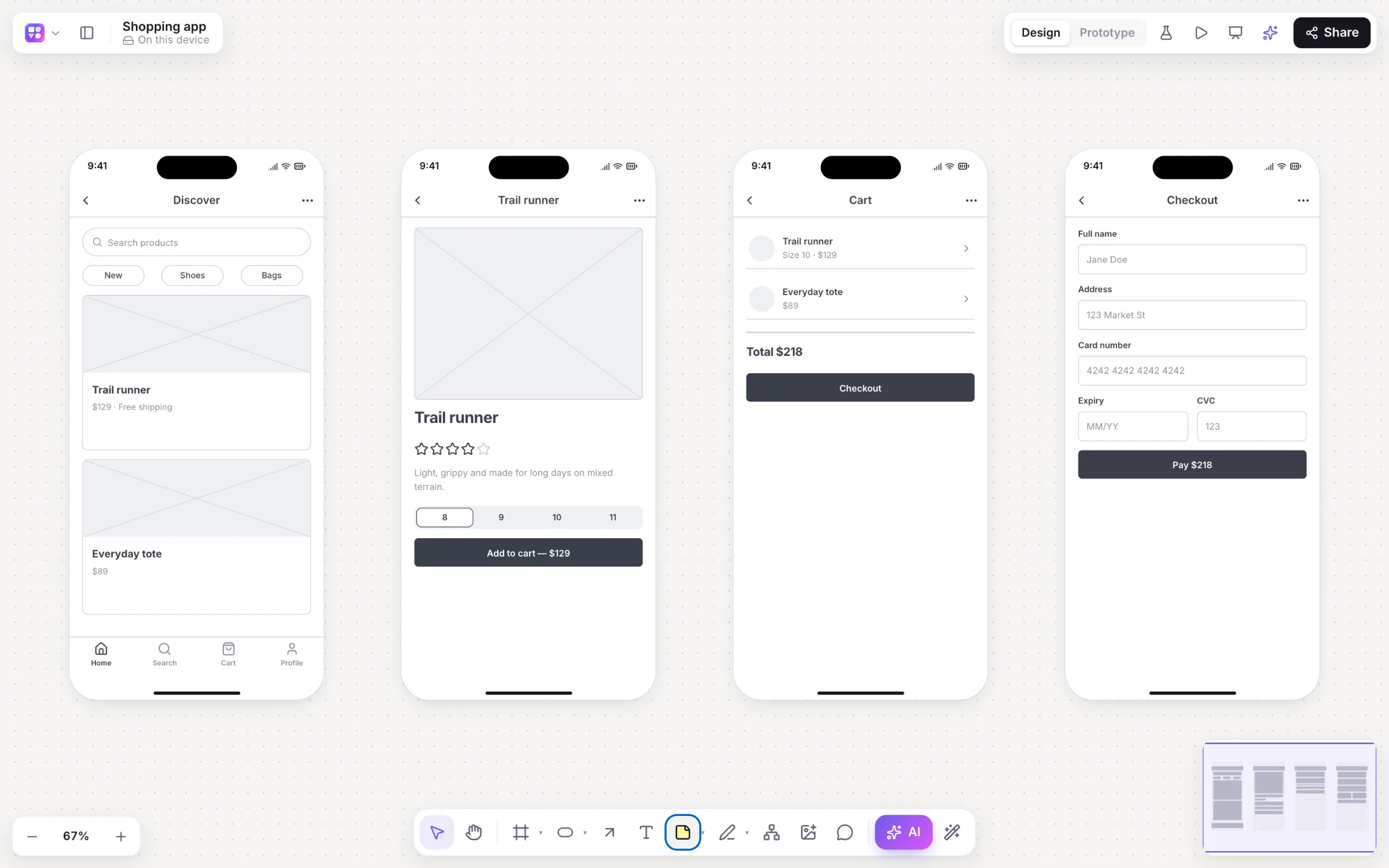
A wireframe is the blueprint of a screen. It shows what goes where (navigation, headings, buttons, lists, images as placeholders) without colours, fonts or real imagery. Wireframes are usually grey and deliberately rough, so people comment on the structure and the flow rather than the styling.
Because they’re fast to make and to change, wireframes are where you try ideas: three layouts for a home screen, two ways to order a checkout. They’re a conversation tool for product managers, designers, engineers and clients.
What is a mockup?
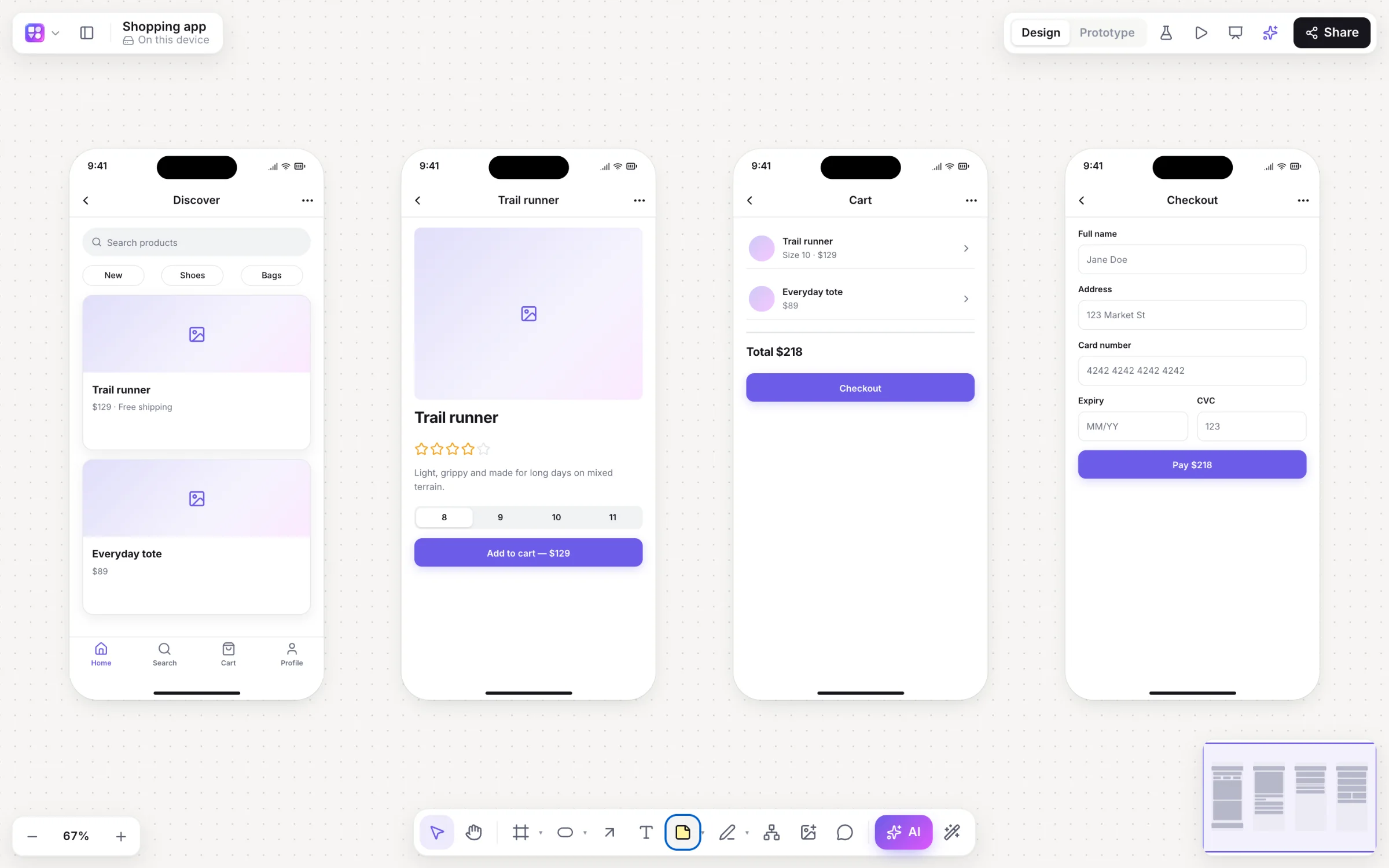
A mockup is a static, high-fidelity image of a screen as it will look: real colours, typography, icons, images and spacing, often in the brand. It answers “what will it look like?” rather than “what goes where?”.
Mockups are for visual decisions and sign-off. They take longer to make than wireframes, so they come after the structure is agreed.
What is a prototype?
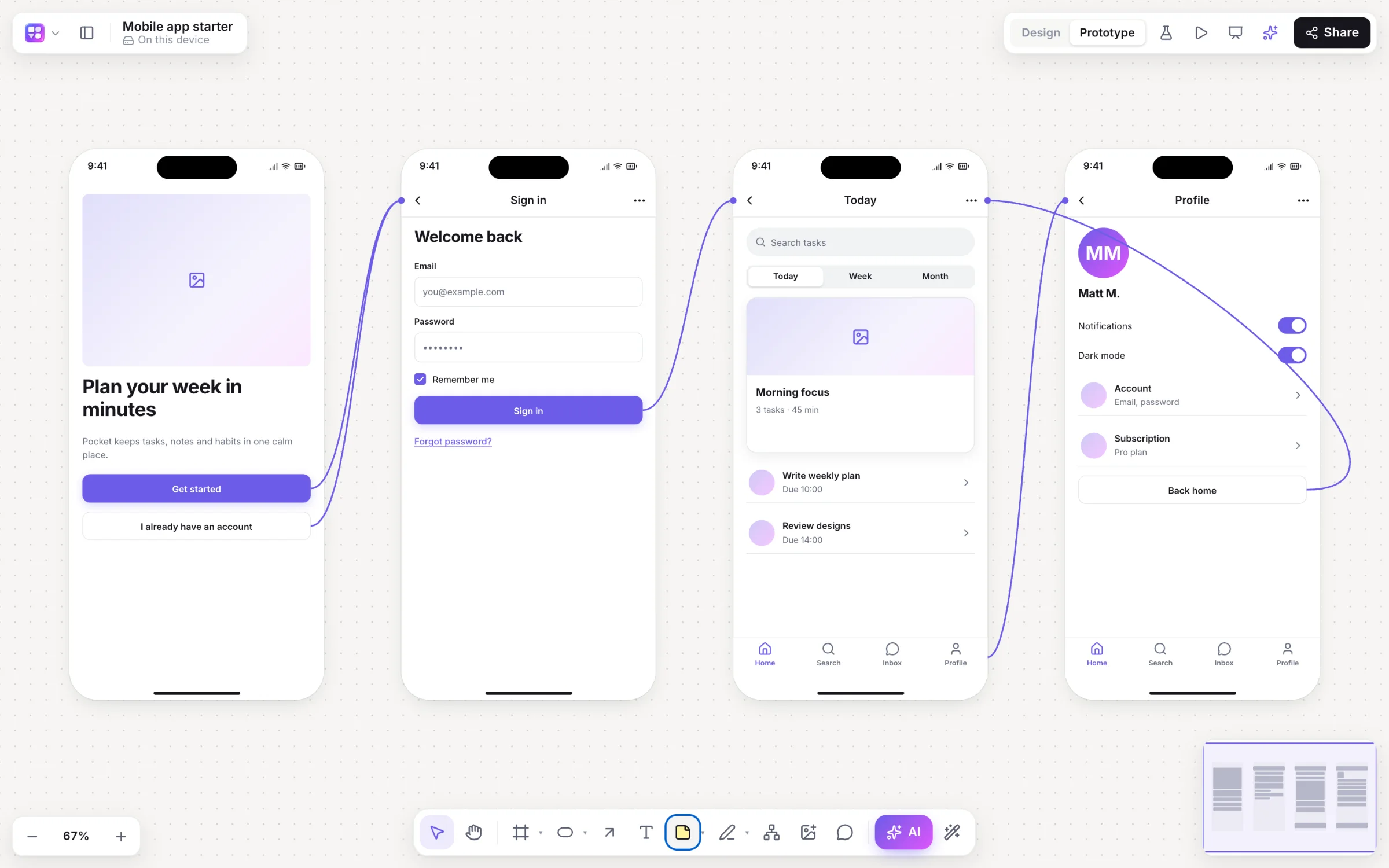
A prototype is a set of screens linked together so you can click or tap through them as if they were the real product: a button opens the next screen, a back arrow goes back, with transitions between them. It can be built from wireframes (a low-fidelity prototype) or from mockups (a high-fidelity prototype).
Prototypes are for testing. Put one in front of real people with a task, such as “book a dog walk for tomorrow”, and watch where they tap, where they hesitate and where they give up, before anything is built.
When to use each
Use wireframes while you’re still deciding what the product does and in what order. Use mockups when the structure is settled and the look needs deciding. Use a prototype whenever you need to know whether people can actually get through the flow, which is often earlier than teams think: a clickable low-fidelity prototype tests a flow perfectly well.
One set of screens, all three
In most tools these are three separate artefacts, redrawn at each step. In Builderii they’re one set of screens: draw them as low-fidelity wireframes (or let the AI draw them from a description), press ⇧W to see them as high-fidelity mockups in your brand, or redraw them as Rendered final designs, and link them into a prototype you play with ⌘↵ and test with a share link that brings back tap heatmaps.
On the canvas
Real boards, made in Builderii.
Questions
Good questions.
Is a wireframe the same as a prototype?
No. A wireframe is a static layout of one screen; a prototype links screens so you can click through them. Wireframes can be turned into a prototype by linking them, which is called a low-fidelity prototype.
Which comes first, a wireframe or a mockup?
Usually the wireframe. Agree the structure and flow in low fidelity, then decide the visual design in a mockup. A prototype can come from either.
Do I need all three?
Not always. Small changes can go straight from a wireframe to a prototype; a well-known pattern may skip wireframes. The point is to test the riskiest thing first, as cheaply as possible.
What is a low-fidelity prototype?
Linked wireframes: rough, grey screens you can click through. It’s the fastest way to test whether a flow makes sense before investing in visual design.
Is there a tool that does all three?
Builderii keeps wireframes, high-fidelity mockups and the clickable prototype as one set of screens: ⇧W switches fidelity and Play runs the prototype. It’s free while it’s new.
Keep reading
More ways to use Builderii.

What do you want to build?
Start with a prompt, a template or a blank board. It’s free.