
ER diagram tool
Paste your schema, get the diagram.
Database diagrams go stale because redrawing them is tedious. In Builderii you paste the schema and the diagram draws itself; edit a table card’s text and the table changes; export SQL when you’re done. Or describe the data and let the AI propose the tables.
Works in your browser · No card · Free while it’s new
In short
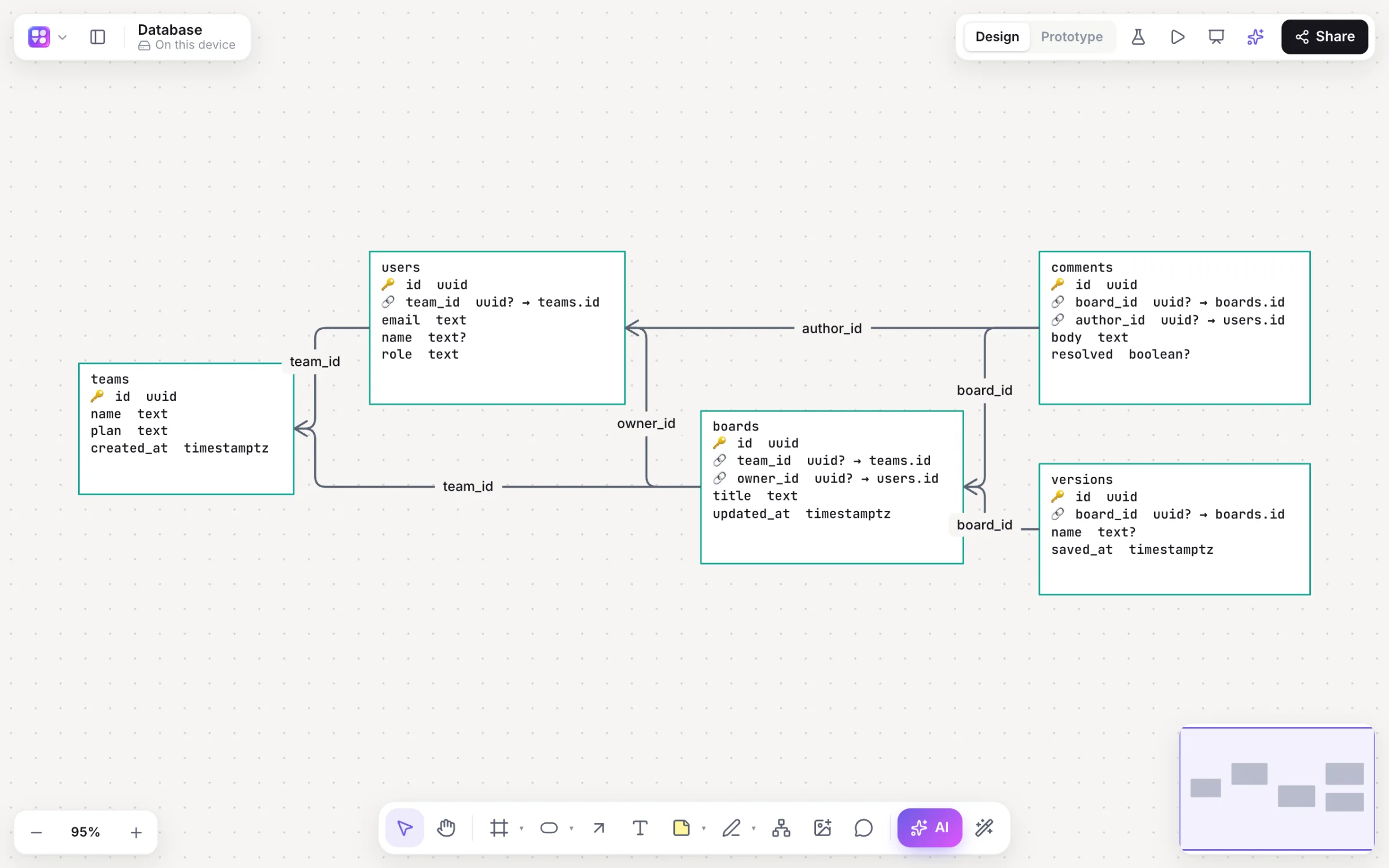
Builderii is a free ER (entity-relationship) diagram tool. Paste or import SQL CREATE TABLE statements (Postgres, MySQL, SQLite or SQL Server) or Prisma models and it draws table cards with typed columns, primary keys and foreign keys, joined from each foreign key to its table. Or describe the data and the AI designs the schema. Edit a card’s text to edit the table, and export SQL back.
- Input
- SQL CREATE TABLE (Postgres, MySQL, SQLite, SQL Server), Prisma, or a description
- Output
- Table cards with typed columns, primary and foreign keys, and relationship lines
- Export
- SQL for the page or the selection, plus PNG, SVG and PDF
- Price
- Free while it’s new, with every feature and 200 AI jobs a month
What you get
A database diagram that stays current.
Four SQL dialects
Postgres, MySQL, SQLite and SQL Server CREATE TABLE statements.
Prisma models
Paste a schema.prisma and get the same diagram.
Keys and relationships
Primary keys and foreign keys marked, joined from each foreign key to its table.
AI schema design
Describe the data and the AI drafts the tables; ask it to add or change them.
SQL back out
Export CREATE TABLE statements for the page or the selection.
Next to the system
Sequence and architecture diagrams on the same board.
How it works
From schema to diagram.
Paste or import
Paste
CREATE TABLEstatements or Prisma models, or import a .sql or .prisma file.Or describe it
Press /, pick Database: “tables for a booking app with rooms, guests and payments”.
Edit the cards
A card’s text is the schema; editing it edits the table and its relationships.
Export SQL
Export… → SQL for the page or the selection.
Questions
Good questions.
Is this ER diagram tool free?
Yes. Builderii is free while it’s new, with every feature on and 200 AI jobs a month per person. Viewers and commenters will always be free, and paid plans will publish their AI allowances.
Which SQL dialects does it read?
CREATE TABLE statements for Postgres, MySQL, SQLite and SQL Server, plus Prisma models.
Can I export the diagram back to SQL?
Yes. Export… → SQL writes CREATE TABLE statements for the page or the selection.
Can AI design the schema?
Yes. Choose Database in the AI bar and describe the data; you get table cards with typed columns and keys, which you can change by asking or by editing the cards.
Keep reading
More ways to use Builderii.

What do you want to build?
Start with a prompt, a template or a blank board. It’s free.