
Guide
How to make a flowchart: symbols, steps and tips.
A flowchart turns a process into something everyone can follow at a glance. Here are the symbols that matter, six steps to draw one, and the habits that keep it readable.
Works in your browser · No card · Free while it’s new
In short
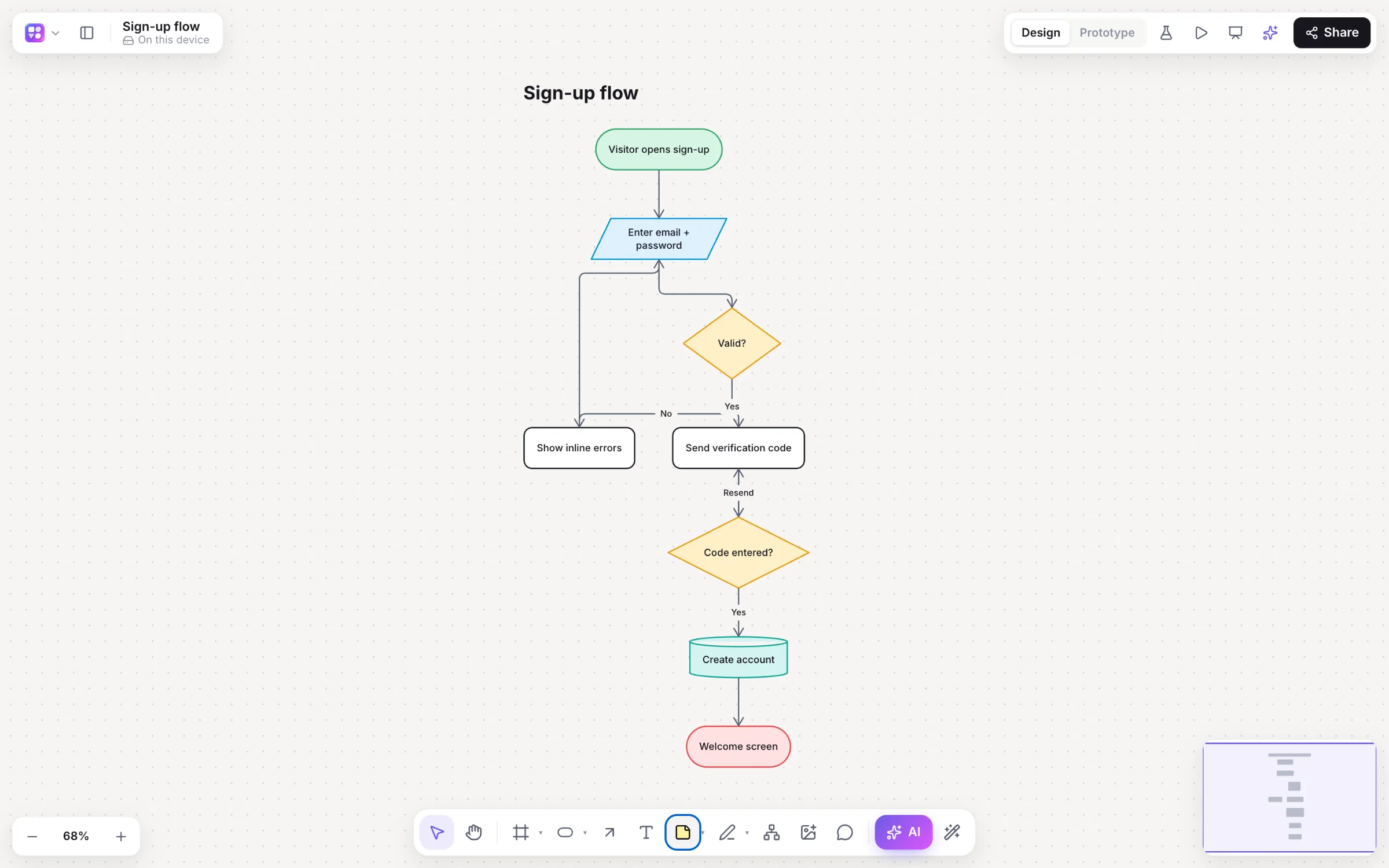
To make a flowchart: name the process and where it starts and ends, list the steps in order, turn each yes/no question into a decision, connect everything with arrows in the direction work moves, label each branch, and lay it out to read top to bottom or left to right. The standard symbols are an oval for start and end, a rectangle for a step, a diamond for a decision and a parallelogram for input or output.
- Start and end
- Oval (terminator)
- Step
- Rectangle (process)
- Decision
- Diamond, with labelled Yes / No arrows
- Input or output
- Parallelogram
Six steps
How to make a flowchart.
Name the process
Say what it covers and where it starts and ends: “a refund request, from the customer asking to the money arriving”.
List the steps
Write every step in order as a short verb phrase: “check the order date”, “approve the refund”.
Find the decisions
Each yes/no question becomes a diamond with two labelled exits.
Connect them
Draw arrows in the direction work moves; every shape except the end needs a way out.
Add the edge cases
Error paths, retries and timeouts are where processes break; draw them.
Lay it out
Make it read top to bottom or left to right, with as few crossing lines as possible.
At a glance
Flowchart symbols and what they mean.
| Symbol | Shape | Use it for |
|---|---|---|
| Terminator | Oval or pill | Where the process starts and ends |
| Process | Rectangle | A step someone or something does |
| Decision | Diamond | A yes/no question that splits the flow; label each arrow |
| Input / output | Parallelogram | Data going in or out, such as a form or a report |
| Document | Rectangle with a wavy base | A document that’s made or used |
| Database | Cylinder | Stored data that’s read or written |
| Subprocess | Rectangle with double sides | A step with its own flowchart |
| Arrow | Line with an arrowhead | The direction work moves |
Tips for readable flowcharts
Keep one level of detail per chart; move a big step into its own subprocess. Use verbs for steps and questions for decisions. Label every arrow out of a decision. Keep the main path straight and let exceptions branch off it. And keep the symbols standard so anyone can read it.
Kinds of flowchart
A process flowchart shows the steps of one process. A swimlane flowchart adds lanes for who does each step. A data flow diagram follows information instead of work. A user flow follows a person through a product, screen by screen.
Making one in minutes
In Builderii’s flowchart maker, select a step and press ⌥+Arrow to add the next one, connected; elbow arrows route around other shapes; ⇧⌥V lays everything out again. Or press /, choose Flowchart and describe the process, and the AI draws it with typed shapes and labelled arrows, ready to change by asking.
Questions
Good questions.
What are the basic flowchart symbols?
An oval for start and end, a rectangle for a process step, a diamond for a decision, a parallelogram for input or output, and arrows for the direction of flow. Documents, databases and subprocesses have their own shapes too.
What does a diamond mean in a flowchart?
A decision: a yes/no question that splits the flow into two paths. Label each arrow leaving it, such as Yes and No.
What is the easiest way to make a flowchart?
Describe the process to an AI flowchart generator and edit the result. In Builderii, press /, choose Flowchart and describe it; or build it from the keyboard with ⌥+Arrow.
Can I make a flowchart for free?
Yes. Builderii is free while it’s new, with every feature on and 200 AI jobs a month per person. Viewers and commenters will always be free, and paid plans will publish their AI allowances.
Keep reading
More ways to use Builderii.

What do you want to build?
Start with a prompt, a template or a blank board. It’s free.