
Pick Builderii if…
- You want the flow and the screens on one board
- You want to test with real people today
- You want screens in your own brand, or Rendered
- You want AI to change what it made, in place
Uizard alternative
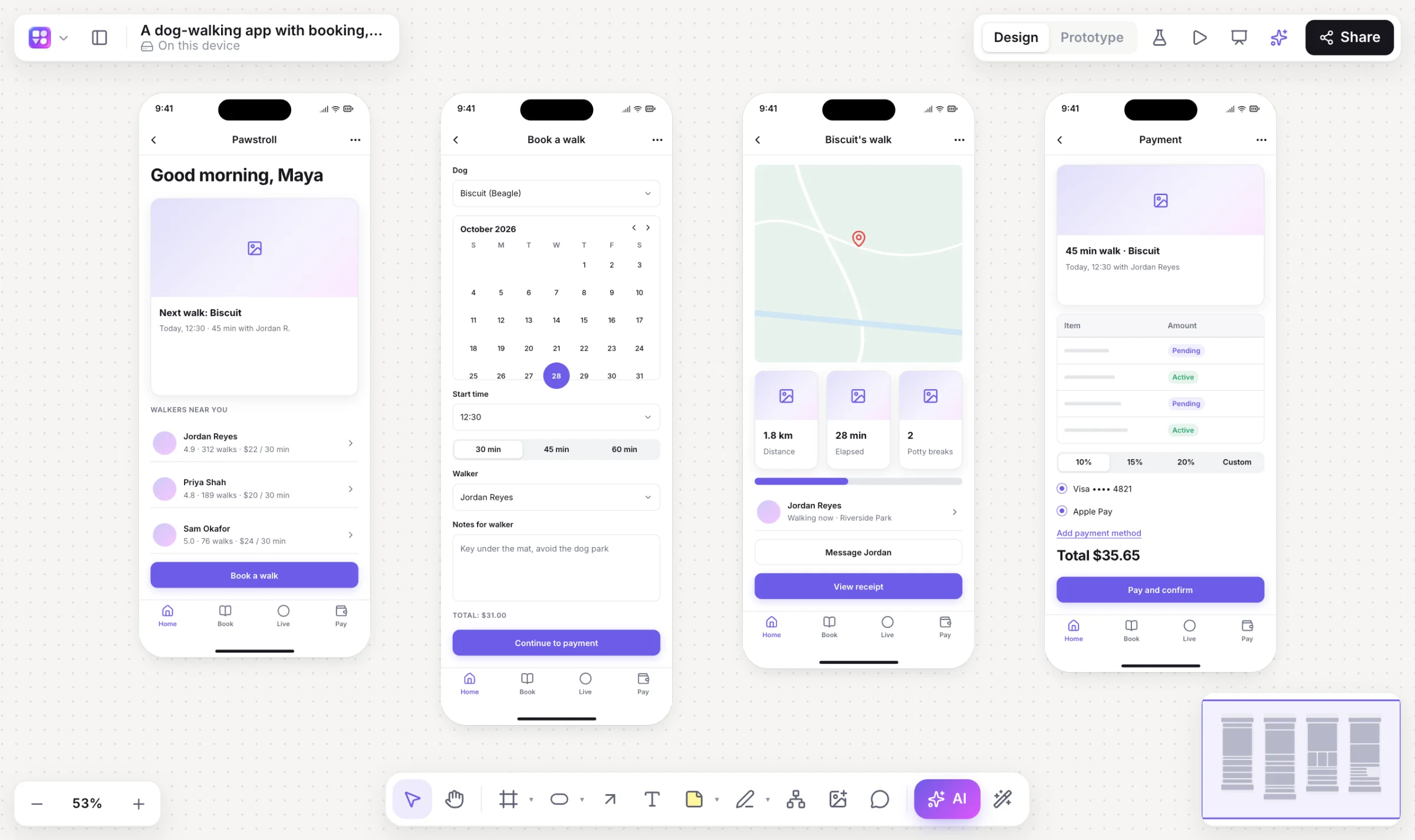
Uizard made “describe an app, get screens” mainstream. Builderii does that on an infinite canvas, so the user flow, the mind map of features and the sticky notes from your research sit beside the screens. Then press Play, send a test link and watch where people tap.
Works in your browser · No card · Free while it’s new
In short
Builderii is a Uizard alternative for turning a prompt, a screenshot or a sketch into editable app screens. The screens arrive linked into a clickable prototype, next to the flowcharts and mind maps that explain them, and a test link brings back tap heatmaps. One switch moves them between low fidelity, your brand and Rendered final designs, and any screen becomes HTML and React code. Uizard is part of Miro, so it suits teams already there.
Why teams pick Builderii
A mobile prompt gives linked screens with a start screen; a web prompt gives a page. Ask for more and they’re added, linked.
Give the AI bar a screenshot or a photo of a sketch, or sketch on the board, and get editable components.
⇧W switches fidelity; Rendered redraws screens as final designs styled after similar real apps.
Paste your website and Builderii reads its colours, fonts and corner rounding.
A test link records taps and paths: heatmaps, time per screen and drop-off on the board.
Flowcharts, mind maps, sitemaps and stickies next to the screens they describe.
Make it real gives a live HTML preview and a React and Tailwind component.
User stories with Given/When/Then criteria, exported as CSV for Jira or Linear.
Side by side
| Feature | Builderii | Uizard |
|---|---|---|
| Prompt to multi-screen designs | Linked screens with prototype links and a start screen | Autodesigner |
| Screenshot or sketch to editable UI | Yes, through the AI bar, or a sketch on the board | Screenshot and wireframe scanners |
| Flowcharts, mind maps and stickies on the same canvas | Yes | Not its focus |
| Tests with real people and their tap heatmaps | Built in | AI-predicted attention heatmaps instead |
| Code from a screen | Live HTML and a React and Tailwind component | Code export |
| Owned by | Builderii | Miro |
| Price to start | Free, with every feature | A free plan with limits; paid plans |
Compared from each product’s public pages in October 2026; features change, so check before you decide. Product names are trademarks of their owners. Builderii isn’t affiliated with or endorsed by them.
Which to pick
Questions
Yes. Builderii is free while it’s new, with every feature on and 200 AI jobs a month per person. Viewers and commenters will always be free, and paid plans will publish their AI allowances.
Yes. The AI bar’s image button rebuilds a screenshot, or a photo of a paper sketch, as an editable wireframe made of real components. A picture you just drop on the board stays a picture.
There’s no Uizard import. Give the AI bar a screenshot of each screen and it comes back as an editable wireframe.
Yes. Everyone on a board sees live cursors and edits as they happen, can follow someone’s view, chat at their cursor and leave comments with @mentions that send a notification and an email. Invite people as editors, commenters or viewers, or share a link.
Keep reading

Start with a prompt, a template or a blank board. It’s free.