
Pick Builderii if…
- You want to test the prototype with real people
- Flows, screens and notes belong on one board
- You want screens as HTML and React code
- You want Rendered final designs styled after real apps
Visily alternative
Visily makes wireframing approachable for people who don’t design for a living. So does Builderii, and it keeps going: link the screens, press Play, send a test link, and see where people tapped and where they gave up, with the user flow and the research notes on the same board.
Works in your browser · No card · Free while it’s new
In short
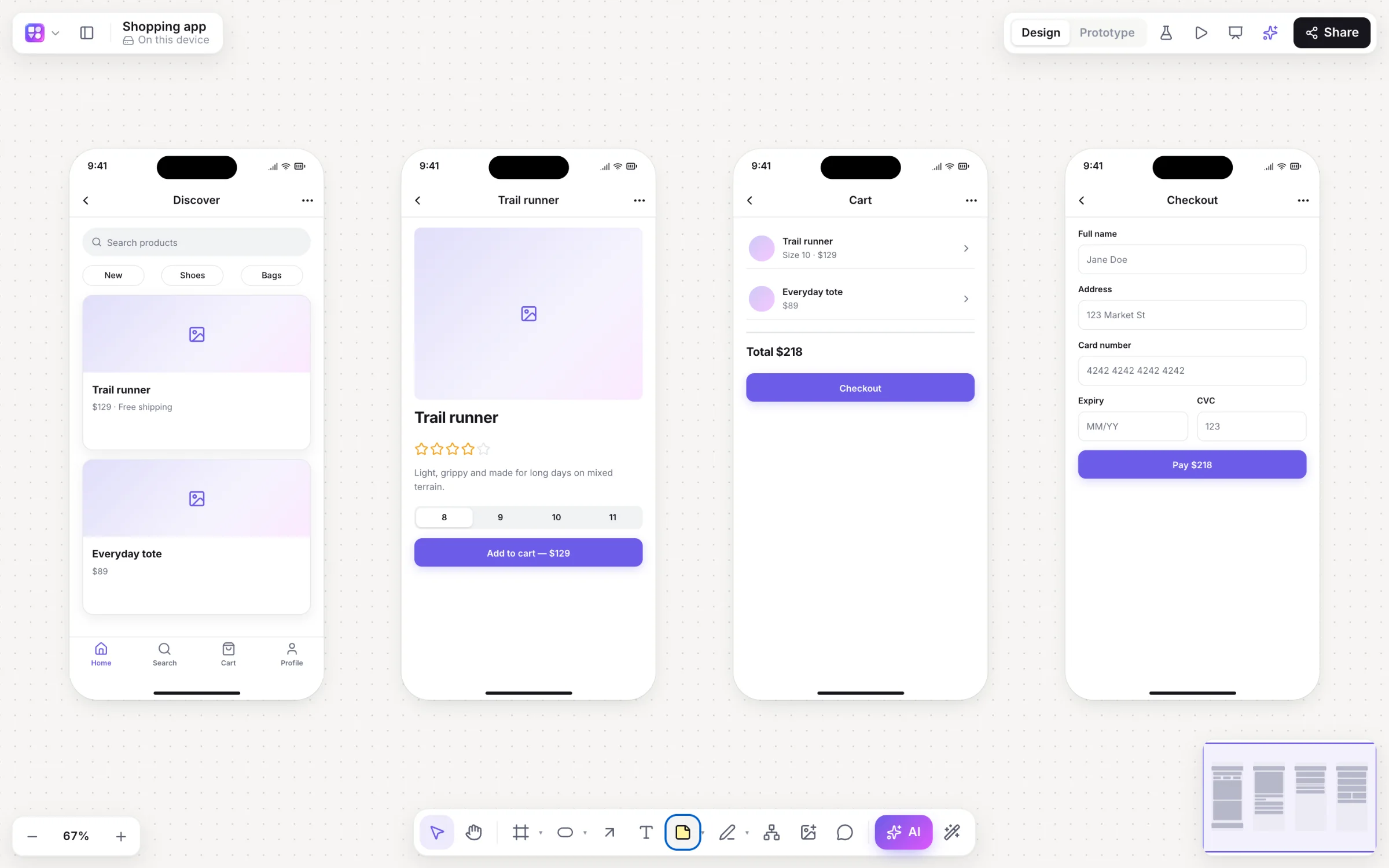
Builderii is a Visily alternative for non-designers and product teams: AI draws editable wireframes from a prompt, a screenshot or a sketch; one switch makes them high fidelity in your brand; links and Play make them a clickable prototype; and a test link brings back tap heatmaps. Flowcharts, mind maps and sticky notes share the board. Visily is the better pick if you need Figma export or its large template library.
Why teams pick Builderii
Describe an app or a website, or give the AI bar a screenshot or a sketch, and get editable screens.
⇧W flips every screen between low-fi and high-fi in your brand colour.
Click and hover links, slide, push and dissolve transitions, and a player in a device frame.
Testers need no account; you see taps, time per screen and drop-off on the board.
User flows, mind maps, sitemaps and sticky notes next to the screens.
Contrast, tap targets and labels pinned on the screens, most with a one-click fix.
Side by side
| Feature | Builderii | Visily |
|---|---|---|
| AI wireframes from text, screenshots and sketches | Yes | Yes |
| Low-fi to high-fi | One switch, your brand read from your website | Yes |
| Clickable prototypes | Transitions, hover triggers and a full-screen player | Yes |
| Prototype tests with tap heatmaps | Built in | Not built in |
| Flowcharts and mind maps on the same board | Yes, drawn and changed by AI too | Not its focus |
| Figma export | No: PNG, SVG, PDF, PowerPoint, HTML and React | Yes |
| Price to start | Free, with every feature | A free plan with limits; paid plans per editor |
Compared from each product’s public pages in October 2026; features change, so check before you decide. Product names are trademarks of their owners. Builderii isn’t affiliated with or endorsed by them.
Which to pick
Questions
Yes. Builderii is free while it’s new, with every feature on and 200 AI jobs a month per person. Viewers and commenters will always be free, and paid plans will publish their AI allowances.
No. Builderii exports PNG, SVG, PDF and PowerPoint, and turns screens into HTML and React code. A Figma link pasted on a board shows as an embed. If Figma export is a must, Visily is the better fit.
No. Describe what you need and the AI draws it; one switch makes it polished; your brand comes from your website’s address.
Yes. Link the screens, then share a test link: Builderii records taps and paths and shows heatmaps and drop-off on your board.
Keep reading

Start with a prompt, a template or a blank board. It’s free.