
Online whiteboard
A free online whiteboard that does the tidying for you.
An infinite, dotted canvas for the whole team, with everything a whiteboard needs and an AI that does the tedious part: grouping the sticky notes, writing the summary, and turning the result into a flowchart or a set of screens.
Works in your browser · No card · Free while it’s new
In short
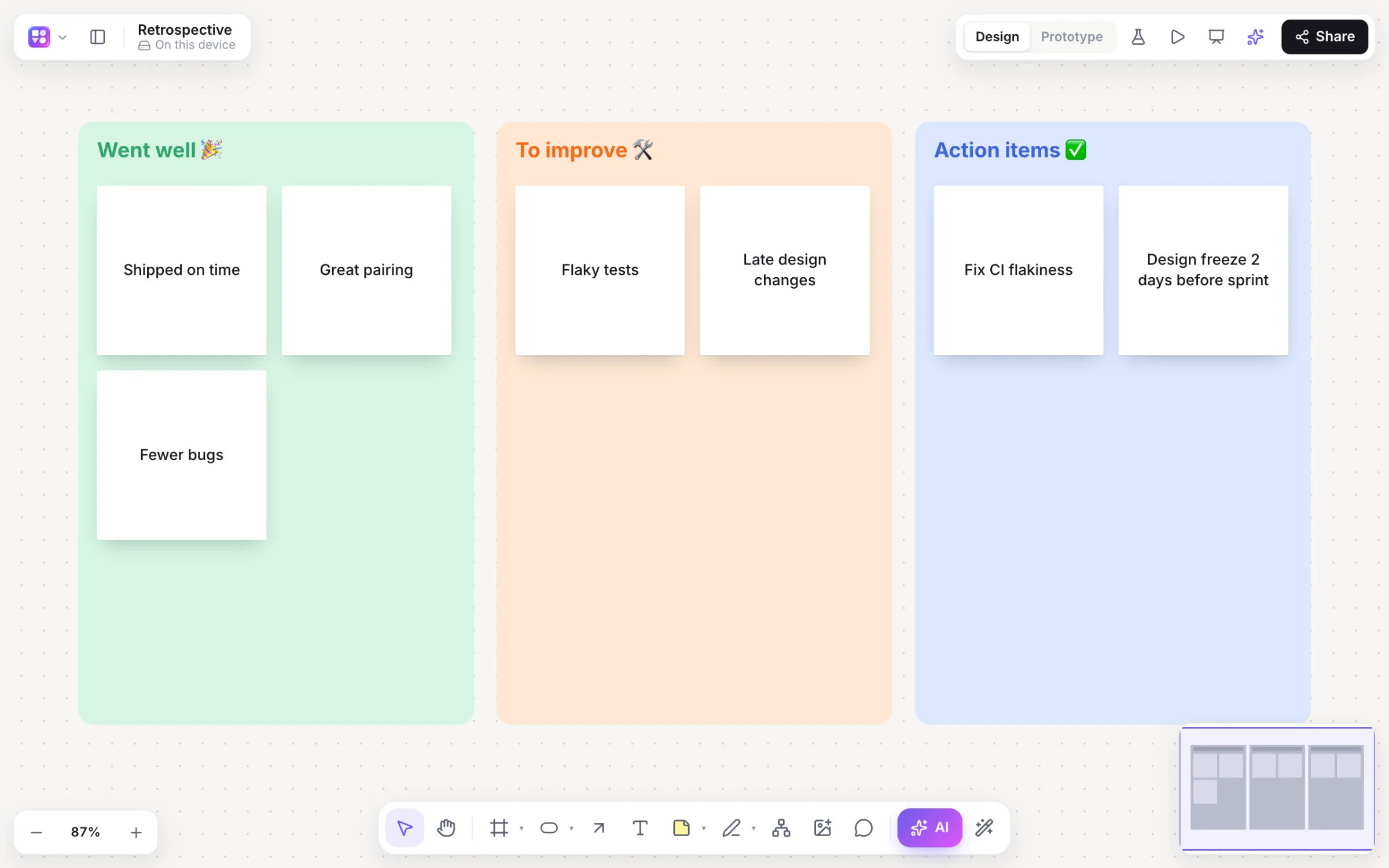
Builderii is a free online whiteboard for teams. Everyone sees live cursors and edits, can follow or spotlight, chat at their cursor and react, and leave comments with @mentions. Sticky notes, stamps, dot voting, a timer, a marker and a laser pointer cover workshops, and AI groups notes by theme, summarises the board and draws flowcharts, mind maps and app screens.
- Live
- Cursors and edits every frame, follow, spotlight, cursor chat and reactions
- Workshops
- Stickies, stamps, dot voting with hidden cursors, a five-minute timer
- Sharing
- Editors, commenters and viewers, link access and guests
- Price
- Free while it’s new, with every feature and 200 AI jobs a month
What you get
Whiteboard basics, and then some.
Live cursors
Everyone’s cursor and edits, every frame; follow someone or spotlight yourself.
Cursor chat and reactions
Type at your cursor, or send emoji reactions across the board.
Stickies and stamps
Twelve sticky colours; paste a list for one sticky per line.
Voting and a timer
Three votes each with hidden cursors, and a five-minute countdown.
Marker and laser
Marker, highlighter and a laser pointer for presenting.
Comments
Comments with @mentions that send a notification and an email.
AI that tidies up
Group by theme with a preview, summaries with next steps, and ideas expanded on request.
Version history
Autosaves and named versions you can restore.
How it works
Run a session in four steps.
Start a board
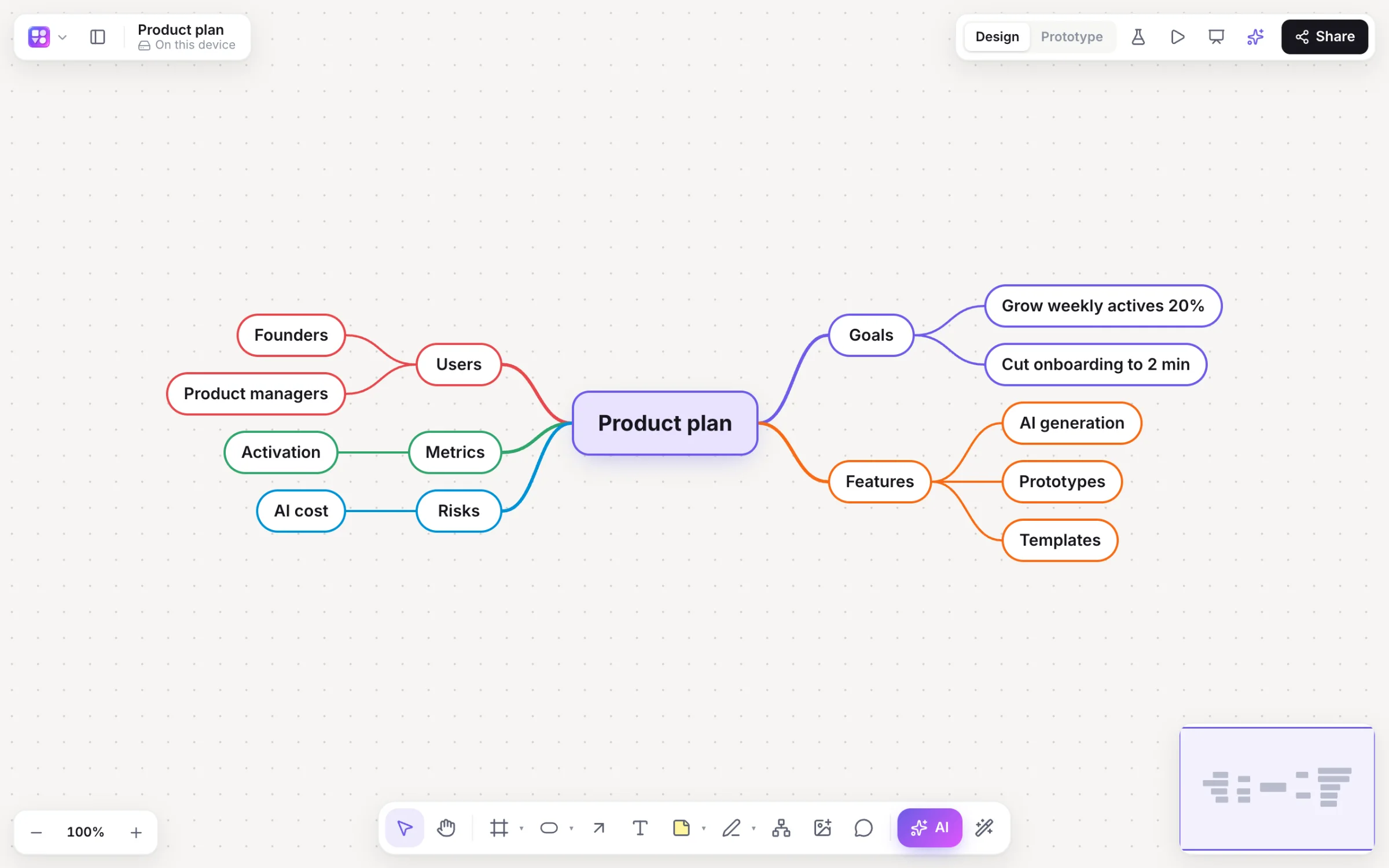
Blank, from a retro, SWOT or journey map template, or ask the AI for a brainstorm on a topic.
Invite people
Share as editor, commenter or viewer, or with a team. Guests can watch from a share link without an account.
Collect and vote
Everyone adds stickies live, then dot-votes with cursors hidden.
Wrap up with AI
Group by theme, then Summarise for key points and next steps.
On the canvas
Real boards, made in Builderii.
Questions
Good questions.
Is this online whiteboard free?
Yes. Builderii is free while it’s new, with every feature on and 200 AI jobs a month per person. Viewers and commenters will always be free, and paid plans will publish their AI allowances.
Do guests need an account?
Not to watch. Anyone with a board’s share link can view it without an account, play its prototype and see edits live, as a named guest with their own cursor. To edit or comment, people sign in and get access by invite, team or link.
Can my team work on a board together?
Yes. Everyone on a board sees live cursors and edits as they happen, can follow someone’s view, chat at their cursor and leave comments with @mentions that send a notification and an email. Invite people as editors, commenters or viewers, or share a link.
Does it work on a phone?
Boards open on phones for looking: pan, zoom, read comments and play prototypes. Making and editing boards is for a computer or a tablet.
Keep reading
More ways to use Builderii.

What do you want to build?
Start with a prompt, a template or a blank board. It’s free.