
Sequence diagram tool
Sequence diagrams from a sentence.
Sequence diagrams are the clearest way to explain how systems talk to each other, and the most tedious to draw by hand. Describe the interaction and Builderii draws it; ask for a change and only that part moves.
Works in your browser · No card · Free while it’s new
In short
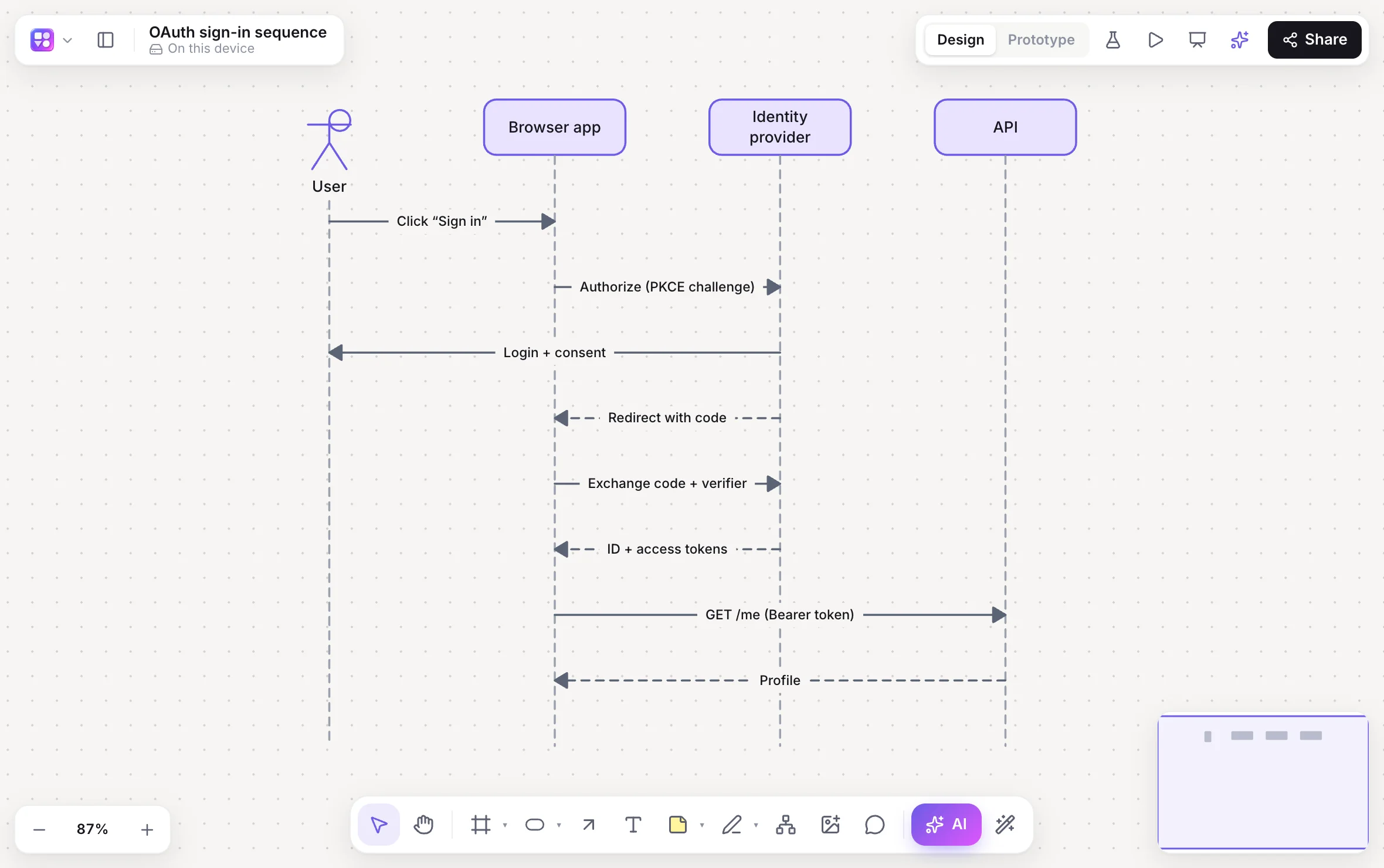
Builderii is a free sequence diagram tool. Describe an interaction, such as a password reset with an email link, and the AI draws the participants (people, services, databases) with lifelines and the calls, async messages and replies between them. Or paste Mermaid sequence code for native shapes, and keep code and diagram in sync in the Diagram as code pane.
- Input
- A sentence, or Mermaid sequence code
- Output
- Participants, lifelines, and sync, async and reply messages
- Edits
- Ask for changes, or edit the Mermaid and the shapes follow
- Price
- Free while it’s new, with every feature and 200 AI jobs a month
What you get
Sequence diagrams, minus the tedium.
Every message type
Calls, async messages and replies between people, services and databases.
Mermaid in sync
Paste Mermaid sequence code, or edit code and shapes together with ⇧⌘M.
Next to the data
Database diagrams from SQL and architecture diagrams on the same board.
Review AI changes
See what was added, changed and removed, and accept or reject each change.
From Claude Code
Ask your coding assistant to diagram a flow in your code; it lands on your board.
Export
PNG, SVG, PDF, PowerPoint, and Mermaid for docs.
How it works
Explain a system in one prompt.
Press /
Pick Sequence in the AI bar.
Describe it
“OAuth sign-in between the browser, our API and Google.”
Review it
Participants, lifelines and messages, laid out and labelled.
Change it
“Add a token refresh after the API call.” It changes in place, as one undo step.
Questions
Good questions.
Is this sequence diagram tool free?
Yes. Builderii is free while it’s new, with every feature on and 200 AI jobs a month per person. Viewers and commenters will always be free, and paid plans will publish their AI allowances.
Does it support Mermaid sequence diagrams?
Yes. Paste Mermaid sequence code onto the board for native shapes, or use the Diagram as code pane to edit code and shapes together.
Can I edit the diagram by hand?
Yes. Participants and messages are normal shapes and connectors you can rename, move and restyle.
Can Claude Code make sequence diagrams here?
Yes, through Builderii’s MCP server or the Claude Code plugin: ask it to diagram a flow and it draws on your board.
Keep reading
More ways to use Builderii.

What do you want to build?
Start with a prompt, a template or a blank board. It’s free.