
Pick Builderii if…
- Diagrams live next to screens and product flows
- You write diagrams in Mermaid
- PMs and designers edit the same boards
- You draw from Claude Code or Cursor
Eraser alternative
Eraser is a sharp tool for technical design docs. Builderii covers the diagrams engineers draw most, sequence, database, flowcharts and architecture, with an AI that writes them and a Mermaid pane that stays in sync, on the same board as the screens and flows the rest of the team works on.
Works in your browser · No card · Free while it’s new
In short
Builderii is an Eraser alternative for engineers who diagram systems: its AI draws sequence diagrams, flowcharts, database diagrams and architecture from a sentence and changes them in place, Mermaid stays in sync with the shapes, and SQL or Prisma becomes a database diagram. Wireframes, prototypes and workshops share the canvas. Eraser is the better pick for its own diagram-as-code language, docs-plus-diagrams files and cloud icon sets.
Why teams pick Builderii
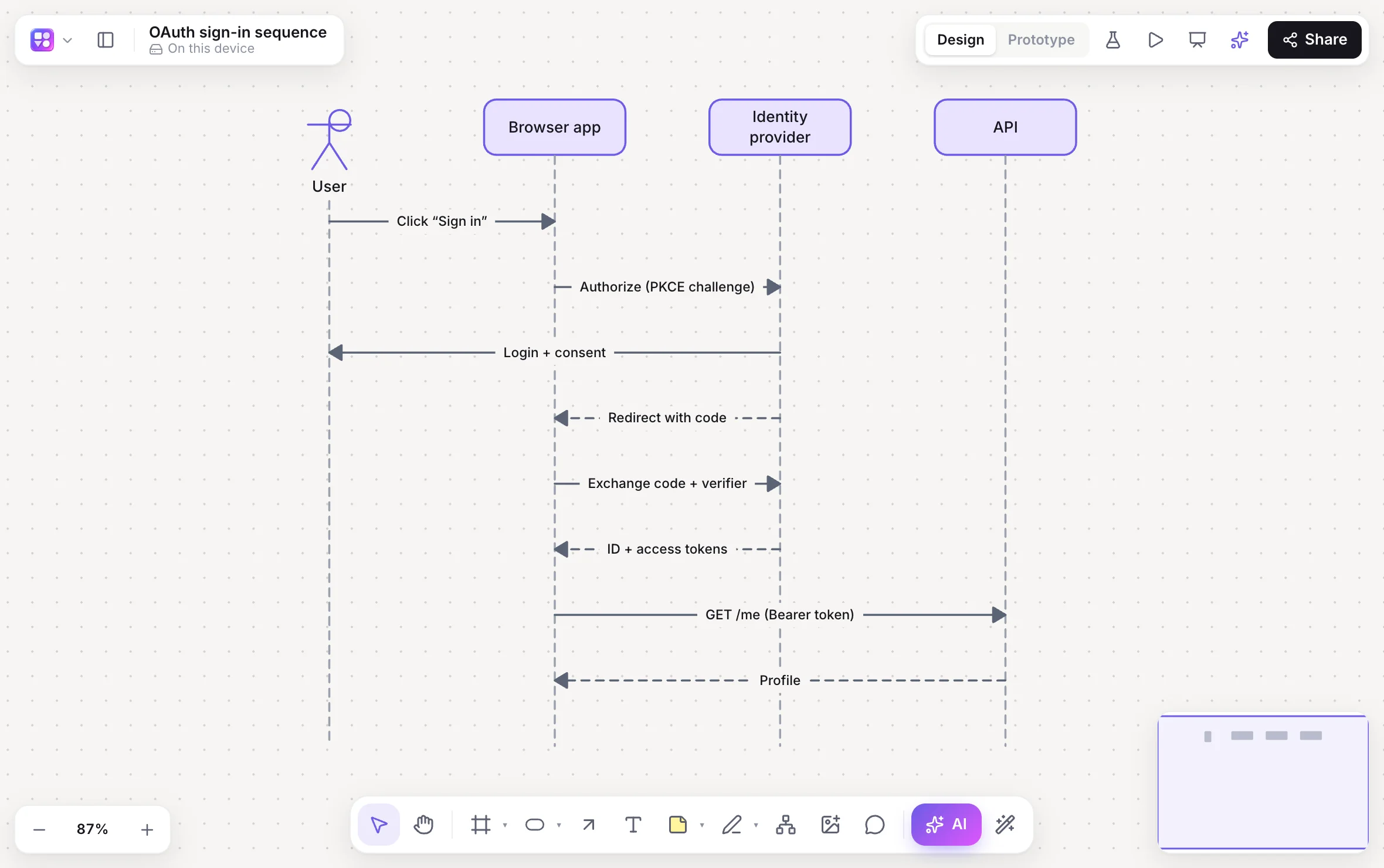
Participants, lifelines and sync, async and reply messages from a prompt or a Mermaid paste.
Paste SQL for Postgres, MySQL, SQLite or SQL Server, or Prisma models; export SQL back.
The Diagram as code pane keeps code and shapes in step; export Mermaid for READMEs.
Select a message or a table and ask for a change; Review AI changes shows what moved.
Start from the serverless architecture template, light or dark.
Claude Code, Cursor and other MCP clients draw on your boards through 37 tools.
Side by side
| Feature | Builderii | Eraser |
|---|---|---|
| AI technical diagrams | Sequence, database, flowcharts, sitemaps and more, changed in place | Yes |
| Diagram as code | Two-way Mermaid | Its own diagram-as-code syntax |
| SQL and Prisma to a database diagram | Yes, and SQL back out | Yes |
| Design docs | Rich-text docs on Home, and specs from flows | Docs and diagrams in one file |
| Wireframes and clickable prototypes | Built in | Not its focus |
| Price to start | Free, with every feature | A free plan with limits; paid plans |
Compared from each product’s public pages in October 2026; features change, so check before you decide. Product names are trademarks of their owners. Builderii isn’t affiliated with or endorsed by them.
Which to pick
Questions
Yes, with Mermaid: paste flowchart, sequence or mind map code for native shapes, or open the Diagram as code pane (⇧⌘M) to edit code and shapes together.
Paste or import SQL CREATE TABLE statements or Prisma models for a database diagram, and export SQL back for the page or the selection.
Yes. Install the Claude Code plugin or add Builderii’s MCP server, and ask for a diagram of your code; it lands on your board.
Yes. Builderii is free while it’s new, with every feature on and 200 AI jobs a month per person. Viewers and commenters will always be free, and paid plans will publish their AI allowances.
Keep reading

Start with a prompt, a template or a blank board. It’s free.