
Pick Builderii if…
- You want flows, screens and a prototype from one prompt
- You want to test the prototype with real people
- You want diagrams that lay themselves out
- Your team needs comments, roles and projects
tldraw alternative
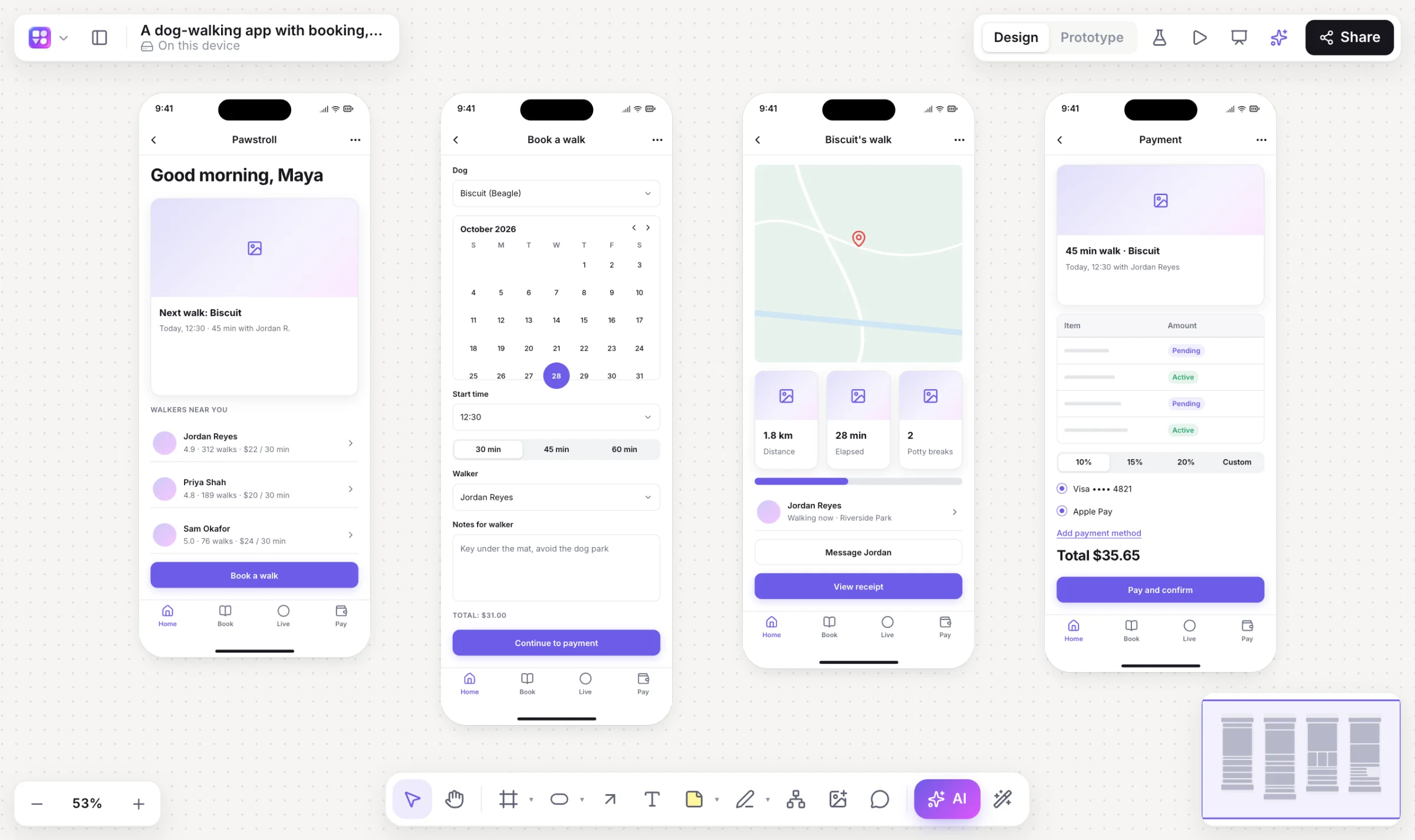
tldraw made the browser canvas feel effortless, and Make Real showed a sketch can become code. Builderii is built for the whole product loop on that kind of canvas: describe it, get linked screens and the flow behind them, press Play, test it with people, and turn a screen into code.
Works in your browser · No card · Free while it’s new
In short
Builderii is a tldraw alternative for product teams. Like tldraw it’s a fast, friendly infinite canvas, and like tldraw’s Make Real it turns a screen into working HTML (plus a React and Tailwind component). It adds structured flowcharts and mind maps, a wireframe kit, clickable prototypes with user tests, and an AI that draws and edits nine kinds of diagram. tldraw is the better pick if you want its SDK to build a canvas into your own product.
Why teams pick Builderii
Turn any screen into a live HTML preview and a React and Tailwind component, next to it on the board.
Describe an app and get screens in device frames, already linked into a prototype.
Draw a screen with the marker, select it and choose Sketch → wireframe for real components.
Transitions, a full-screen player, and a test link that brings back tap heatmaps.
Flowcharts, mind maps, sequence diagrams, sitemaps, database diagrams and roadmaps that lay themselves out.
An MCP server with 37 tools lets your AI assistant draw on your boards.
Side by side
| Feature | Builderii | tldraw |
|---|---|---|
| Infinite canvas, shapes, arrows, stickies | Yes | Yes |
| Sketch to code | Make it real: live HTML and a React and Tailwind component | Make Real |
| Flowchart and mind map tools | Typed shapes, quick-add and auto-layout | Freeform shapes and arrows |
| Wireframes and clickable prototypes | A 46-component kit, links, transitions, a player and tests | Draw them from shapes |
| AI diagrams that change in place | Nine kinds | AI experiments on the canvas |
| Build a canvas into your own app | No | The tldraw SDK |
| Price to start | Free, with every feature | Free at tldraw.com |
Compared from each product’s public pages in October 2026; features change, so check before you decide. Product names are trademarks of their owners. Builderii isn’t affiliated with or endorsed by them.
Which to pick
Questions
Yes. Make it real turns any screen into a live HTML preview and a React and Tailwind component you can copy, placed next to the screen on the board.
No SDK, but you can embed a live board on any website with an iframe, optionally starting in the prototype. To build a canvas into your own app, tldraw’s SDK is the tool.
Yes. Builderii is free while it’s new, with every feature on and 200 AI jobs a month per person. Viewers and commenters will always be free, and paid plans will publish their AI allowances.
Yes. Everyone on a board sees live cursors and edits as they happen, can follow someone’s view, chat at their cursor and leave comments with @mentions that send a notification and an email. Invite people as editors, commenters or viewers, or share a link.
Keep reading

Start with a prompt, a template or a blank board. It’s free.