
AI whiteboard
An AI whiteboard that does the tidying.
The best part of a whiteboard session is the ideas; the worst is sorting them afterwards. Builderii’s AI sorts the sticky notes, writes the summary and drafts the next diagram, and nothing moves until you say so.
Works in your browser · No card · Free to start
In short
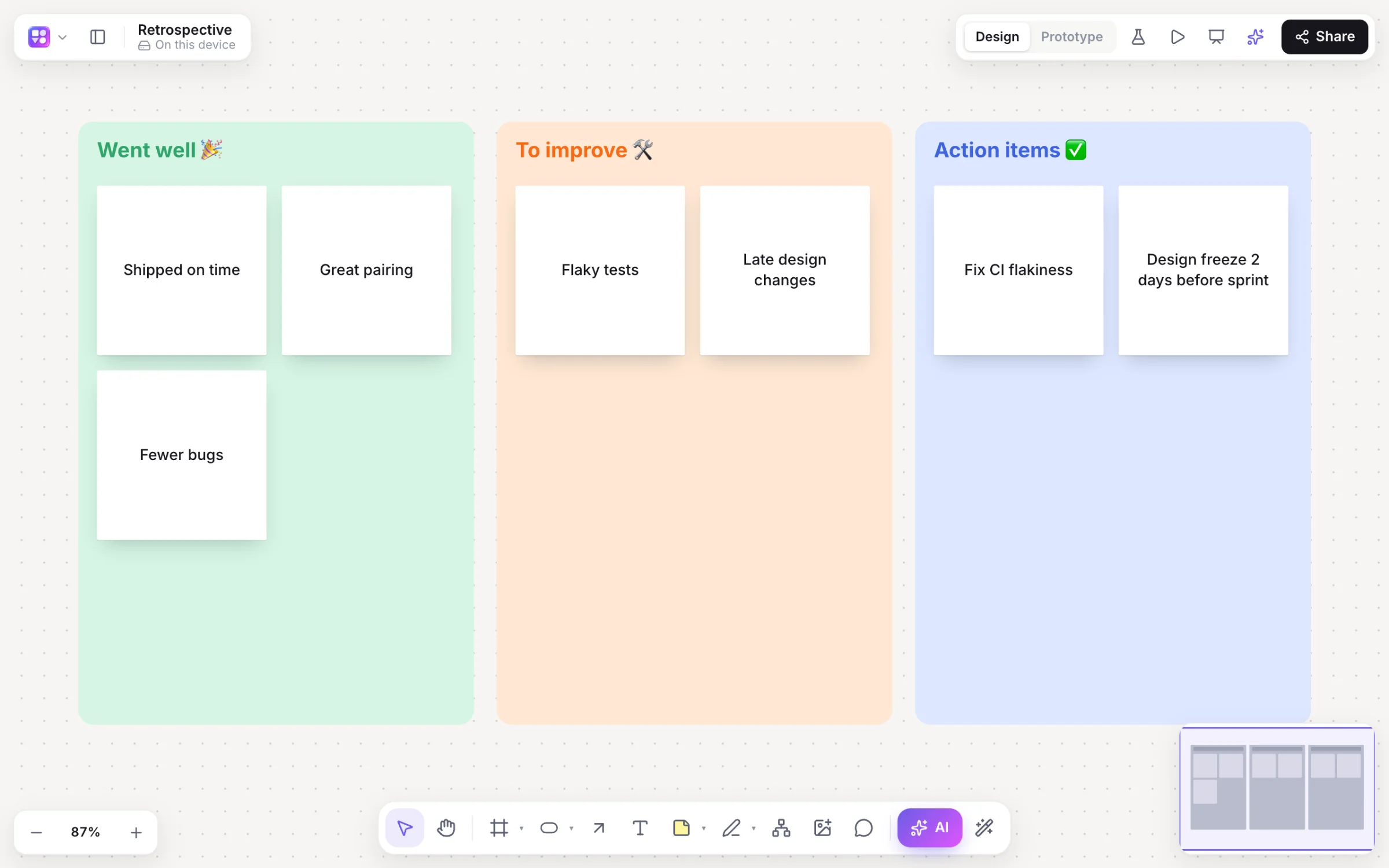
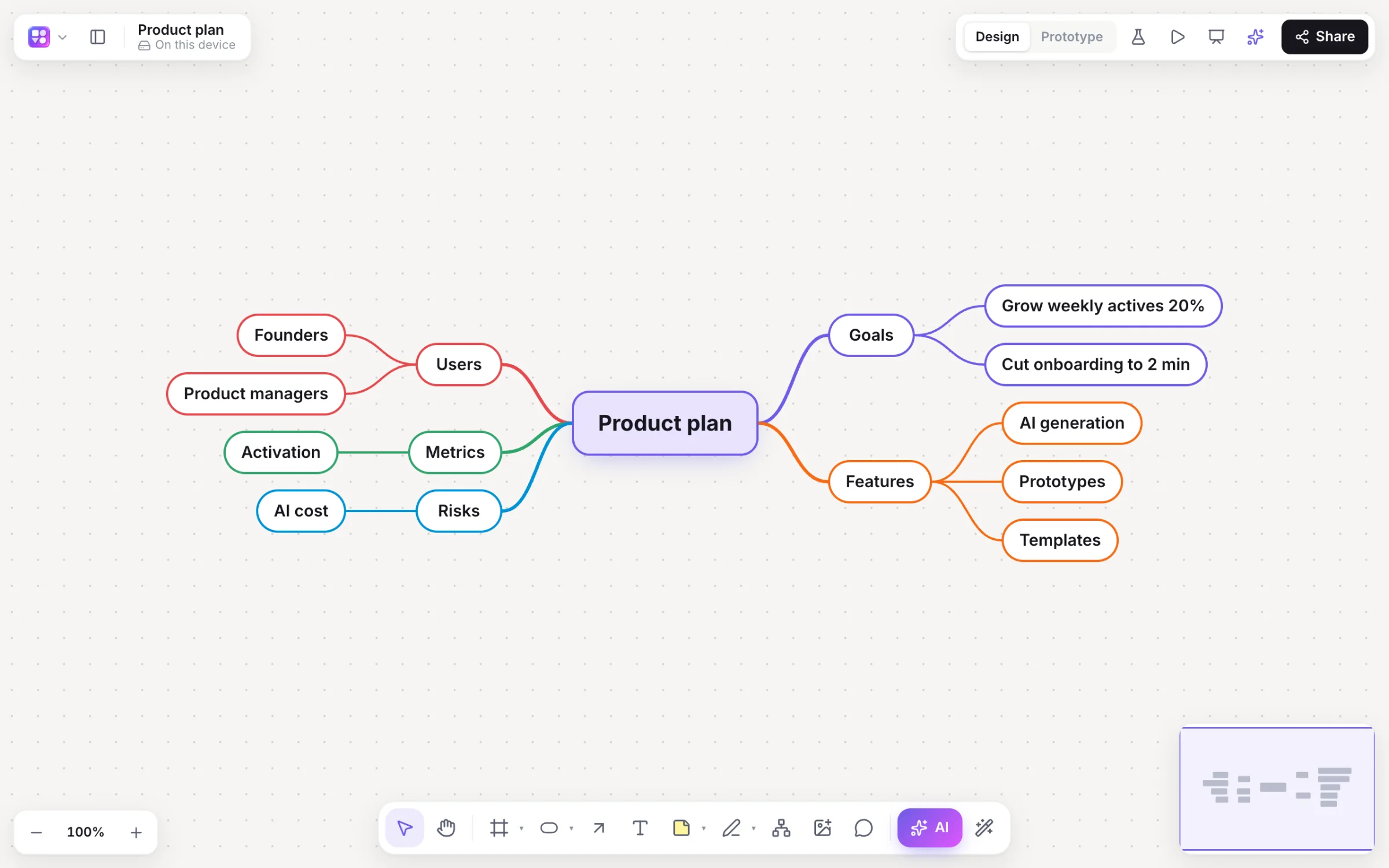
Builderii is an AI whiteboard: an online whiteboard where the AI does the tidying. Ask for a brainstorm on a topic and get themed columns of sticky notes; select notes and group them by theme, with a preview first; summarise the board into key points and next steps; expand any idea; and turn the result into a flowchart, a mind map or app screens. Each person gets 200 AI jobs a month while Builderii is new.
- Brainstorm
- Themed columns of sticky notes from a topic
- Tidy
- Group by theme with a preview; a summary card with next steps
- Turn into
- Flowcharts, mind maps, roadmaps and linked app screens
- Price
- Free plan with every feature, for 2 boards; Pro, unlimited, from $10 a month
What you get
AI where it actually helps.
Brainstorms
Sticky notes in themed columns that keep their places and votes when they change.
Group by theme
A preview of the groups first; Apply grouping moves and colours the notes.
Summarise
Key points and next steps on a card, ready to share.
Expand ideas
⌘. adds new ideas under a mind map idea or next to a sticky.
Rewrite
“Shorter”, “friendlier”, “in Spanish”: the text is replaced in place.
Whiteboard photo to diagram
A photo of a real whiteboard becomes an editable flowchart.
Ask about the board
The Builderii AI chat knows the board and proposes what to build; nothing is drawn until you say so.
Review changes
Optionally keep every AI change waiting for your accept or reject.
How it works
From blank board to next steps.
Brainstorm
Press /, pick Brainstorm and give a topic; themed columns of sticky notes arrive.
Add your own
Everyone adds notes live; paste a list and each line becomes a sticky.
Group by theme
Select three or more notes; check the AI’s grouping in a preview, then apply it.
Summarise
A summary card with key points and next steps, from the selection or the whole board.
On the canvas
Real boards, made in Builderii.
Questions
Good questions.
Is the AI whiteboard free?
Yes, to start. Builderii’s Free plan has every feature and 200 AI jobs a month per person, for up to 2 boards with up to 50 components on each. Pro takes those limits off for $10 a month billed yearly, or $12 month to month.
Does the AI move my notes without asking?
No. Group by theme shows a preview with Apply grouping and Discard. Turn on Review AI changes to have other AI edits wait for your accept or reject too.
Can it read a photo of a real whiteboard?
Yes. Choose Flowchart in the AI bar, press the image button and pick the photo: it comes back as an editable flowchart.
How does the AI work?
Every AI action runs as a job with strict schemas: the AI decides what goes on the board, and Builderii’s own layout engines decide where, so diagrams come out tidy and stay editable. Prompts and boards are never logged.
Keep reading
More ways to use Builderii.

What do you want to build?
Start with a prompt, a template or a blank board. It’s free to start.