
Guide
The best free online whiteboards, compared honestly.
We make Builderii, so we’re not neutral. What we can do is be specific: what each whiteboard is best at, what it costs to start, and when you should use something other than ours.
Works in your browser · No card · Free to start
In short
There’s no single best online whiteboard; it depends on the job. For a quick sketch with no account, Excalidraw or Whiteboard Fox; inside Microsoft Teams, Microsoft Whiteboard; for teams that design in Figma, FigJam; for company-wide workshops, Miro; during a Zoom call, Zoom’s own whiteboard; and for product teams who want the board to turn into flows, screens and a tested prototype, Builderii, which we make. All of them have a free way to start.
- Quick sketch, no account
- Excalidraw, Whiteboard Fox
- Microsoft Teams
- Microsoft Whiteboard
- Workshops at scale
- Miro, FigJam
- Product work with AI
- Builderii (ours)
At a glance
Eight online whiteboards at a glance.
| Whiteboard | Best for | Free to start |
|---|---|---|
| Builderii (ours) | Boards that turn into flows, screens and prototypes, with AI | A free plan with every feature, for 2 boards; Pro from $10 a month |
| Miro | Company-wide workshops and planning | A free plan with limits |
| FigJam | Teams that design in Figma | A free Starter plan |
| Microsoft Whiteboard | Microsoft Teams and Microsoft 365 | Free with a Microsoft account |
| Excalidraw | Quick hand-drawn sketches; open source | Free |
| tldraw | A fast, minimal canvas | Free at tldraw.com |
| Whiteboard Fox | Drawing together instantly | Free for basic use |
| Zoom Whiteboard | Drawing inside a Zoom meeting | Comes with Zoom |
Compared from each product’s public pages in October 2026; features change, so check before you decide. Product names are trademarks of their owners. Builderii isn’t affiliated with or endorsed by them.
How we compared
We looked at what each whiteboard is built for, how you start (and whether you need an account), what working together is like, and what happens to the board afterwards, using each product’s public pages in October 2026. Features change, so check before you decide.
Builderii (ours): best when the board should become something
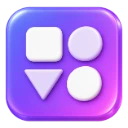
An infinite canvas with a marker, sticky notes, templates, voting and a timer, where the same board also holds flowcharts, mind maps, org charts, wireframes and a clickable prototype. Its AI brainstorms, groups notes by theme and summarises the board. Its Free plan has every feature for up to 2 boards, Pro (from $10 a month) has no limits, and you need an account to draw; anyone with a link can watch. Not the pick for an instant, no-sign-up sketch.
Miro: best for whole companies
A broad visual workspace with a very large template and app marketplace, Miro AI and enterprise admin. Great when many departments run workshops and plans on boards; more than a small team or a class may need.
FigJam: best for Figma teams
Figma’s friendly whiteboard, next to your design files and libraries, with stickies, stamps, voting and FigJam AI. The obvious choice if your designers already work in Figma.
Microsoft Whiteboard: best inside Microsoft 365
Free with a Microsoft account, built into Teams meetings, with apps and good pen inking. The natural pick for schools and companies on Microsoft 365.
Excalidraw and tldraw: best for quick sketches
Excalidraw is an open-source sketchpad with a hand-drawn look and no account needed to start; tldraw is a fast, minimal canvas. Both are excellent for a quick diagram, and lighter on structure and workshop tools.
Whiteboard Fox: best for drawing this second
Open a board, share the link and draw together, with no account for basic use. Ideal for a one-off sketch; not built for templates, diagrams or keeping work organised.
Zoom Whiteboard: best during a Zoom call
Built into Zoom, with pens, shapes and annotation over shared screens. Convenient when everyone is already in the meeting; see how to use a whiteboard in Zoom.
How to choose
Start from where your people already are (Microsoft 365, Figma, Zoom), then from the job: a quick sketch, a workshop, a lesson, or work that should turn into a plan or a product. If it’s the last one, try Builderii.
Questions
Good questions.
What is the best free online whiteboard?
It depends on the job: Excalidraw or Whiteboard Fox for a quick sketch with no account, Microsoft Whiteboard inside Teams, FigJam for Figma teams, Miro for company-wide workshops, and Builderii when the board should turn into flows, screens or a prototype.
Which online whiteboard needs no sign-up?
Excalidraw and Whiteboard Fox let you start drawing without an account. Builderii needs a free account to draw, but anyone with a board’s share link can watch without one.
Which online whiteboard is best for teachers?
Schools on Microsoft 365 often use Microsoft Whiteboard. Builderii suits lessons that use pages, slides, templates and a share link students can watch without an account; see the whiteboard for teaching.
Is this comparison biased?
We make Builderii, so read it knowing that. We’ve tried to say plainly where each of the others is the better pick; check each product yourself before you decide.
Keep reading
More ways to use Builderii.
What do you want to build?
Start with a prompt, a template or a blank board. It’s free to start.