
Website wireframe tool
Wireframe the whole website, page by page.
A website wireframe answers what goes on each page and in what order, before anyone argues about colours. Builderii keeps the sitemap, every page’s wireframe and a clickable version of the site on one board, so the plan and the pages never drift apart.
Works in your browser · No card · Free to start
In short
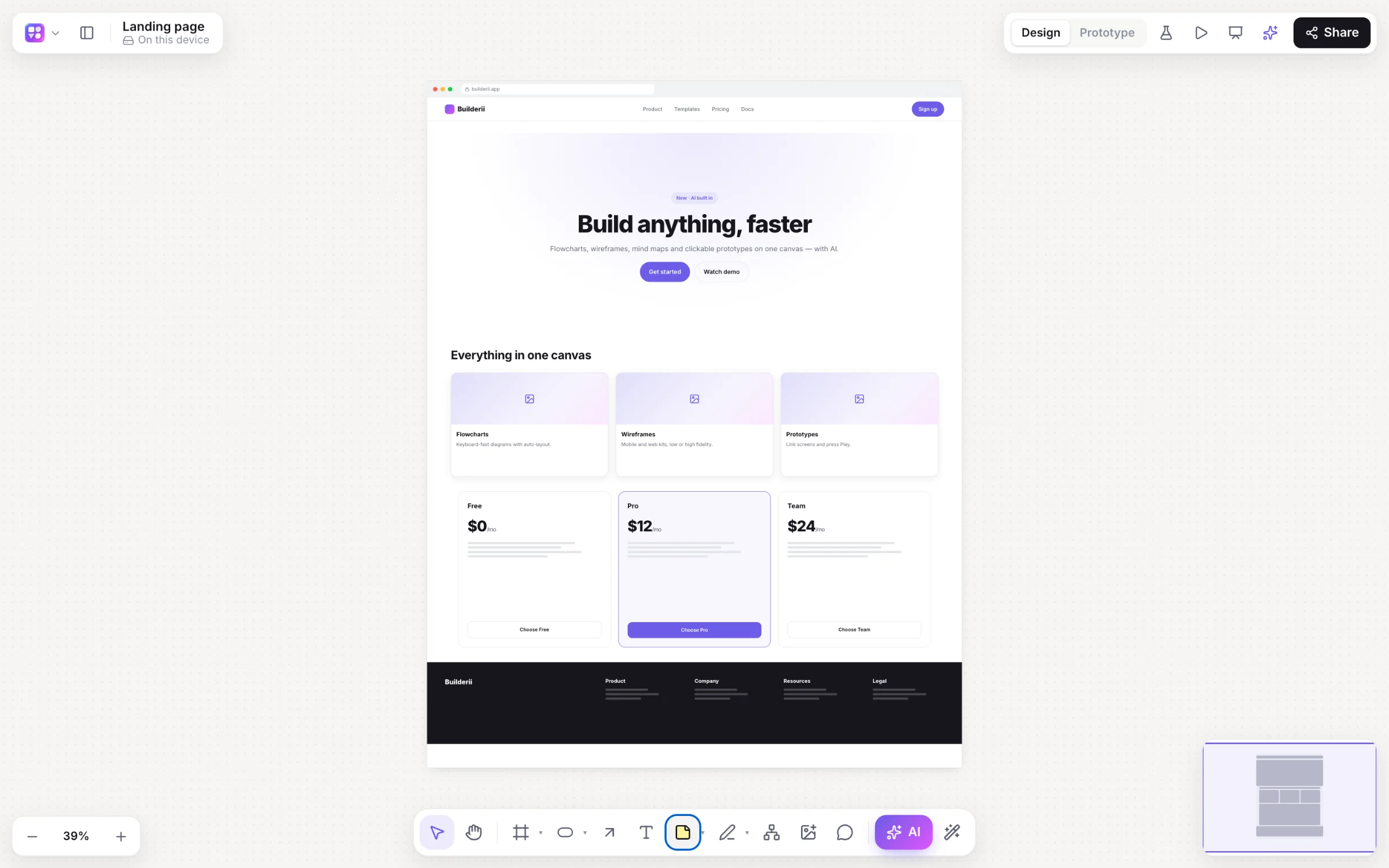
Builderii is a website wireframe tool with a free plan. Plan the pages with an AI sitemap, then wireframe each page in a browser frame from ready-made website sections (navigation, heroes, feature grids, pricing, testimonials and footers), or describe a page and let the AI draw it. Switch to high fidelity in your brand, make phone and tablet versions in one click, and link the pages into a clickable site.
- Sections
- Navigation, hero, features, pricing, testimonials, footer and more
- Frames
- Web and desktop browser frames, plus phone and tablet versions in one click
- Start from
- An AI sitemap, the Landing page or SaaS dashboard template, or a prompt
- Price
- Free plan with every feature, for 2 boards; Pro, unlimited, from $10 a month
What you get
Everything a website wireframe needs.
Website sections
Navigation bars, heroes, feature grids, pricing tables, testimonials and footers, each with props you can edit.
Sitemap on the same board
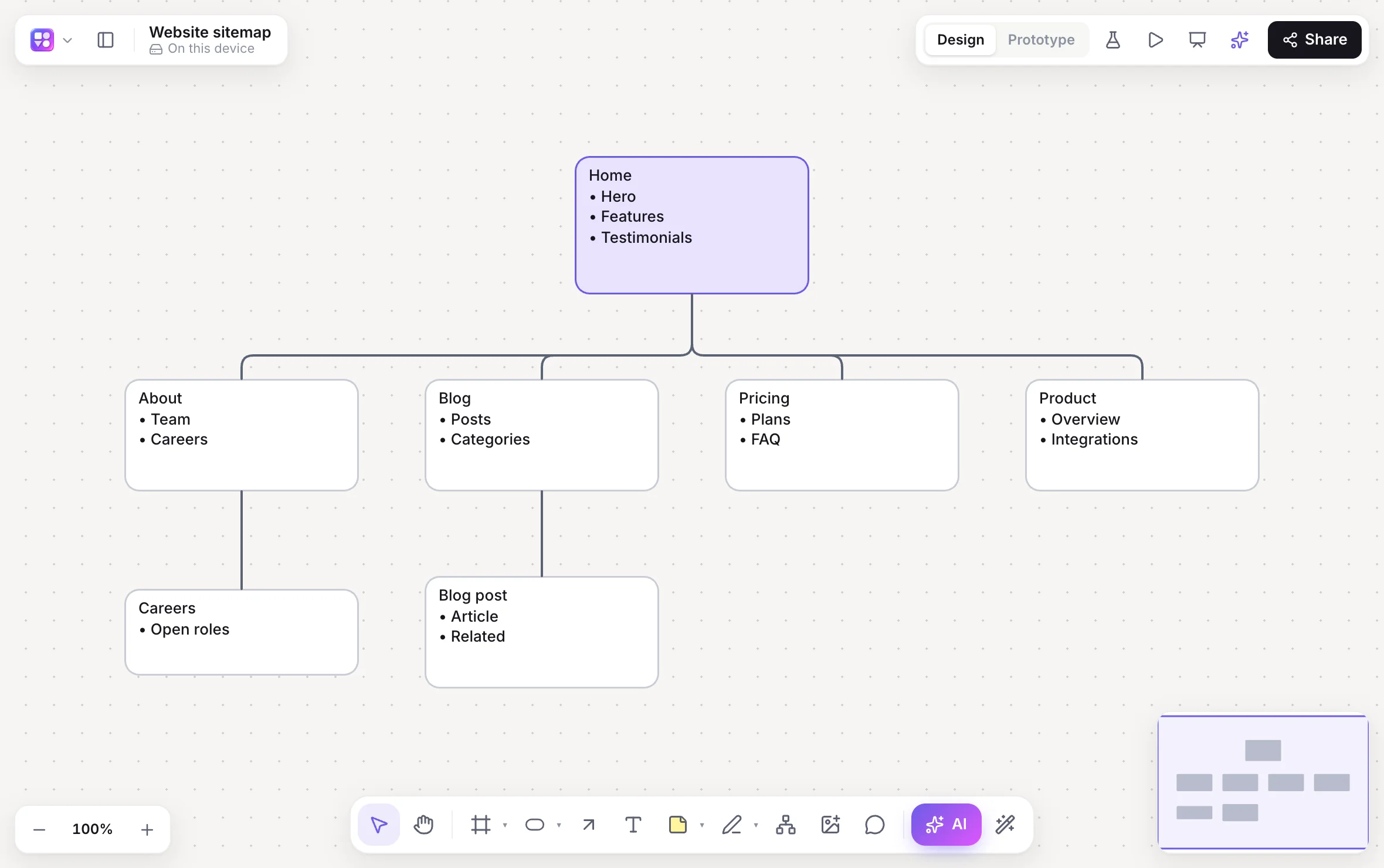
The page tree and each page’s sections sit next to the wireframes.
Responsive versions
One click makes a phone or tablet version of a page.
Your brand from a URL
Colours, fonts and corner rounding read from your website for every high-fidelity page.
Accessibility check
Contrast, tap targets, labels and headings, pinned on the pages with one-click fixes.
Pages to code
Make it real turns a page into a live HTML preview and a React and Tailwind component.
How it works
From site plan to clickable pages.
Map the pages
Press /, pick Sitemap and describe the site; you get a page tree with each page’s sections.
Wireframe a page
Drop a web frame and drag in website sections, or pick App screens → Web and describe the page.
Make it yours
⇧W for high fidelity; paste your current site’s address for its colours, fonts and corner rounding.
Click through it
Link buttons and nav items to pages, press ⌘↵, or share a test link.
On the canvas
Real boards, made in Builderii.
Questions
Good questions.
Is this website wireframe tool free?
Yes, to start. Builderii’s Free plan has every feature and 200 AI jobs a month per person, for up to 2 boards with up to 50 components on each. Pro takes those limits off for $10 a month billed yearly, or $12 month to month.
What should a website wireframe include?
The navigation, each section of the page in order (hero, features, social proof, pricing, footer), the main call to action, and real headings and labels. Leave colours, fonts and photos for later; they’re a switch away.
Can I make mobile versions of my pages?
Yes. Right-click a page and make a phone or tablet version in one click, then adjust it.
Can I turn a live website into a wireframe?
Yes. Give the AI bar’s image button a screenshot of the page and it rebuilds it as an editable wireframe. Paste the site’s address to bring its brand across too.
Keep reading
More ways to use Builderii.

What do you want to build?
Start with a prompt, a template or a blank board. It’s free to start.