
Whiteboard templates
Whiteboard templates for every session.
A good template saves the first ten minutes of every session. Pick one, invite the team, and start filling it in together, then let the AI group what everyone wrote.
Works in your browser · No card · Free to start
In short
Builderii has 18 free whiteboard templates to start from and edit together: workshops (Retrospective, SWOT analysis, User journey map, Kanban board), mind maps (Brainstorm mind map, Product plan), flowcharts (Sign-up flow, Checkout process, Bug triage), diagrams (Website sitemap, OAuth sign-in sequence, Serverless architecture, Org chart) and app and web screens. Save any board as a template of your own, for you or your whole team.
- Built in
- 18 templates
- Workshops
- Retrospective, SWOT analysis, user journey map, kanban board
- Your own
- Save any board as a template for you or your team
- Price
- Free plan with every feature, for 2 boards; Pro, unlimited, from $10 a month
What you get
18 templates, ready to edit.
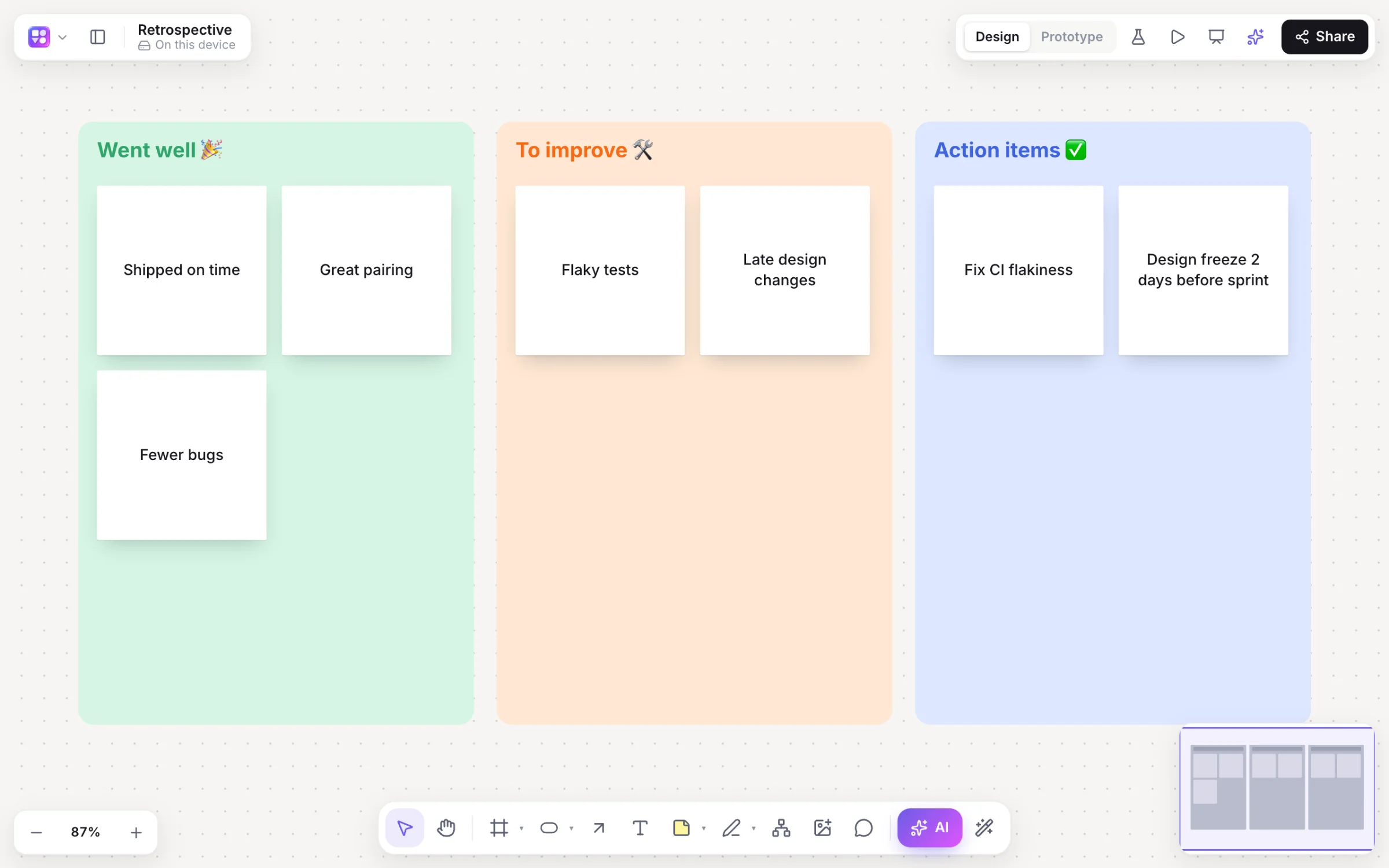
Retrospective
Went well, To improve and Action items columns of sticky notes.
SWOT analysis
Strengths, weaknesses, opportunities and threats in four quadrants.
User journey map
Stages of an experience, with actions, thoughts and pain points.
Kanban board
To do, Doing and Done columns for a team’s work.
Brainstorm mind map
A central topic with branches to grow with Tab and ↵.
Flowcharts
Sign-up flow, Checkout process and Bug triage, ready to adapt.
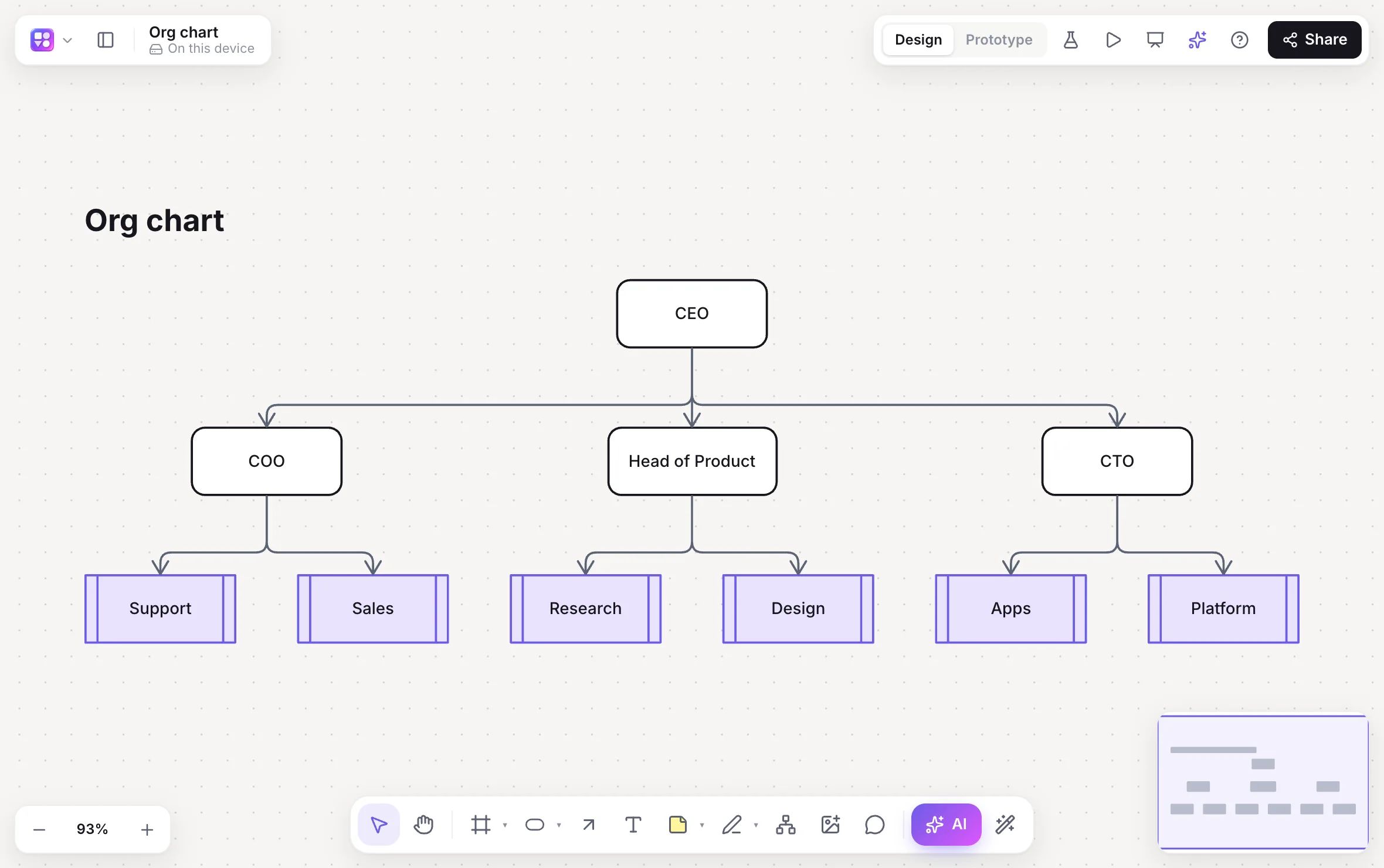
Org chart
Teams and reporting lines; or paste a spreadsheet for yours.
Sitemap and architecture
A website sitemap, an OAuth sequence and a serverless architecture.
App and web screens
Mobile app starter, Shopping app, Landing page, SaaS dashboard, Onboarding prototype.
Or ask the AI
A brainstorm on any topic arrives as themed columns of sticky notes.
How it works
From template to outcome.
Pick a template
From Home’s Templates strip, or the Templates tab in a board’s library (⇧T).
Invite the team
Share as editor, or post a view link for people who just need to follow.
Fill it in together
Sticky notes, drawing and voting, live, with a timer to keep it moving.
Wrap it up
Group the notes by theme with AI, then Summarise into next steps.
On the canvas
Real boards, made in Builderii.
Questions
Good questions.
Are the templates free?
Yes, to start. Builderii’s Free plan has every feature and 200 AI jobs a month per person, for up to 2 boards with up to 50 components on each. Pro takes those limits off for $10 a month billed yearly, or $12 month to month.
Can I make my own templates?
Yes. Choose Save as template from a board’s menu: it shows first in Home’s Templates strip for everyone who can open it, the whole team for a team board.
Can the AI fill in a template?
Ask the AI for a brainstorm on a topic and it adds themed columns of sticky notes. Select notes and Group by theme to sort what people wrote, with a preview before anything moves.
Can we use a template together, live?
Yes. Everyone on a board sees live cursors and edits as they happen, can follow someone’s view, chat at their cursor and leave comments with @mentions that send a notification and an email. Invite people as editors, commenters or viewers, or share a link.
Keep reading
More ways to use Builderii.
What do you want to build?
Start with a prompt, a template or a blank board. It’s free to start.