
Prototype testing
Test your prototype with real people, today.
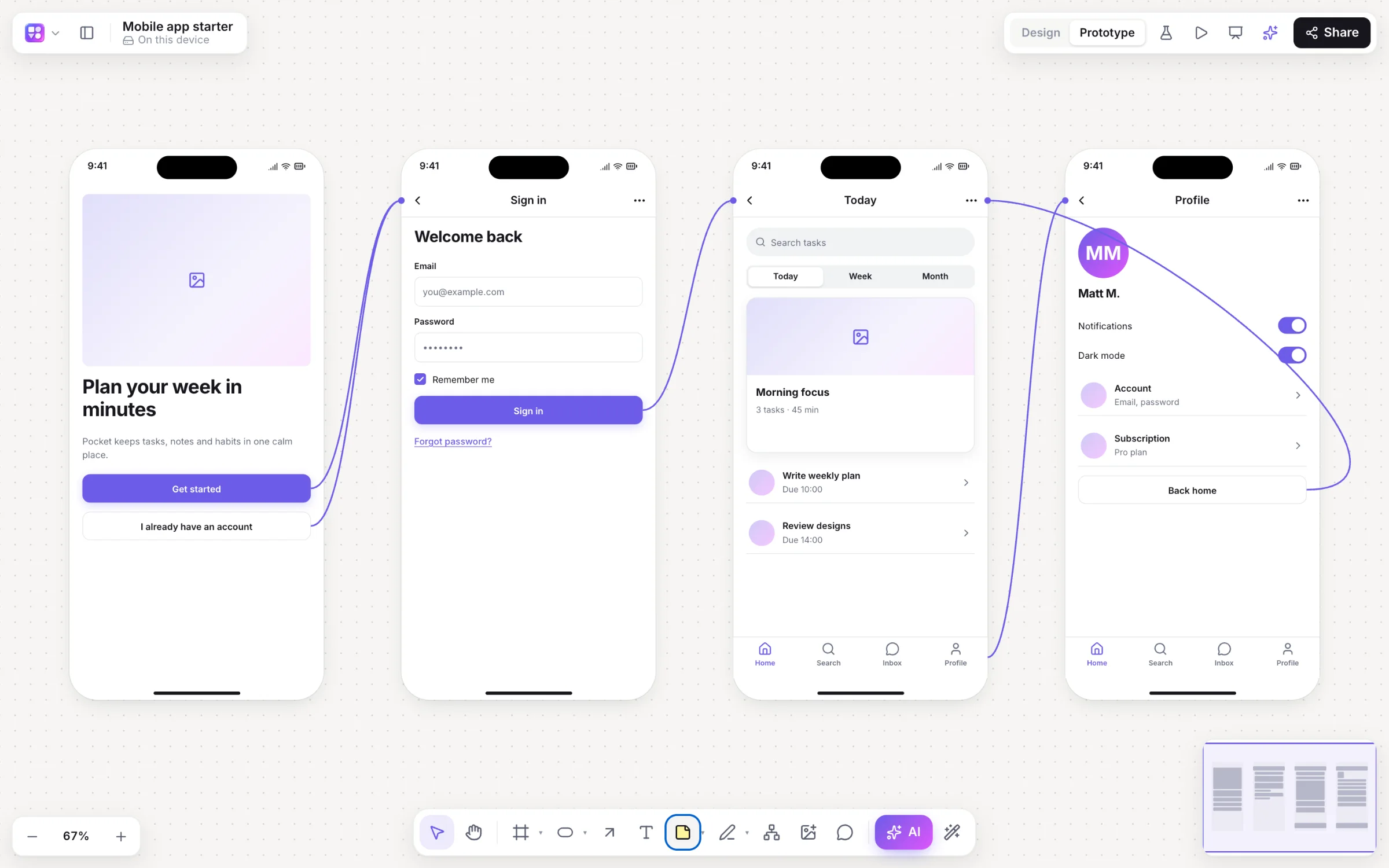
Usability testing doesn’t need a lab or a second tool. Send a link to five people with one task, and by the afternoon you’ll see, on the screens themselves, where they tapped, where they missed and where they gave up.
Works in your browser · No card · Free to start
In short
Builderii has prototype testing built in. Link your screens into a prototype, copy the test link and send it: testers press Start the test and use it, with no account. Builderii records the screens they reach and every tap, then shows sessions, completions, average time and where people stopped, plus a tap heatmap on each screen (red on links, orange on missed taps). Results are kept for 180 days.
- Testers
- Anyone with the link; no account, recorded anonymously
- Results
- Sessions, completions, average length, where people stopped
- On each screen
- A tap heatmap, visits, average time and missed taps
- Price
- Free plan with every feature, for 2 boards; Pro, unlimited, from $10 a month
What you get
What a test tells you.
Completions
How many testers reached a screen that ends the flow, and the average length of a session.
Where people stopped
The screen each tester left on, so the problem screen stands out.
Tap heatmaps
Red where taps hit links, orange where they missed: the button people thought was a button.
Time per screen
Visits and average time on each screen, shown on the board.
No accounts
Testers don’t sign up; taps and paths are recorded anonymously and sent when they finish.
Wireframe or Rendered
The player runs the wireframes or their Rendered final designs, links included.
How it works
Run a test in four steps.
Link the screens
In Prototype mode (⇧E), link buttons to the screens they open and set the start screen.
Copy the test link
Press the flask at the top right, then Copy test link. Write one clear task to send with it.
Send it
Testers open the link, press Start the test and use the prototype on a computer or a phone.
Read the results
See completions and where people stopped, and a heatmap on every screen.
Questions
Good questions.
Is prototype testing free?
Yes, to start. Builderii’s Free plan has every feature and 200 AI jobs a month per person, for up to 2 boards with up to 50 components on each. Pro takes those limits off for $10 a month billed yearly, or $12 month to month.
How many testers do I need?
For finding usability problems, five people with the same task usually surface most of them. Fix what you find and test again.
Do testers need an account?
No. They open the test link, press Start the test and use the prototype; their taps and paths are recorded anonymously and sent when they finish or leave.
How long are results kept?
180 days. Editors can clear them at any time, and anyone who can open the board can press Test it yourself.
Is it moderated or unmoderated?
Unmoderated: testers do the task on their own, when it suits them. You can still sit with someone and watch while they use the same link.
Keep reading
More ways to use Builderii.
What do you want to build?
Start with a prompt, a template or a blank board. It’s free to start.