
Diagram maker
One diagram maker for every diagram you draw.
Most teams juggle a flowchart tool, a whiteboard and something for database diagrams. Builderii draws all of them on one infinite board, with tools that lay diagrams out for you and an AI that drafts and changes them.
Works in your browser · No card · Free to start
In short
Builderii is an online diagram maker, free to start, for every common diagram: flowcharts, mind maps, org charts, sequence diagrams, ER (database) diagrams, sitemaps, roadmaps, architecture diagrams and block diagrams made from shapes and connectors. Draw from the keyboard, start from one of 18 templates, or describe the diagram and let the AI draw it, laid out cleanly and editable.
- Diagrams
- Flowcharts, mind maps, org charts, sequence, ER, sitemaps, roadmaps, architecture
- Start from
- A blank board, 18 templates, a prompt, Mermaid, SQL or a spreadsheet
- Export
- PNG, SVG, PDF, PowerPoint, draw.io, Mermaid and SQL
- Price
- Free plan with every feature, for 2 boards; Pro, unlimited, from $10 a month
What you get
Every diagram, tidy by default.
Flowcharts
Typed steps and decisions, quick-add arrows and one-click auto-layout.
Mind maps
Tab and ↵ to add ideas; branches lay themselves out.
Org charts
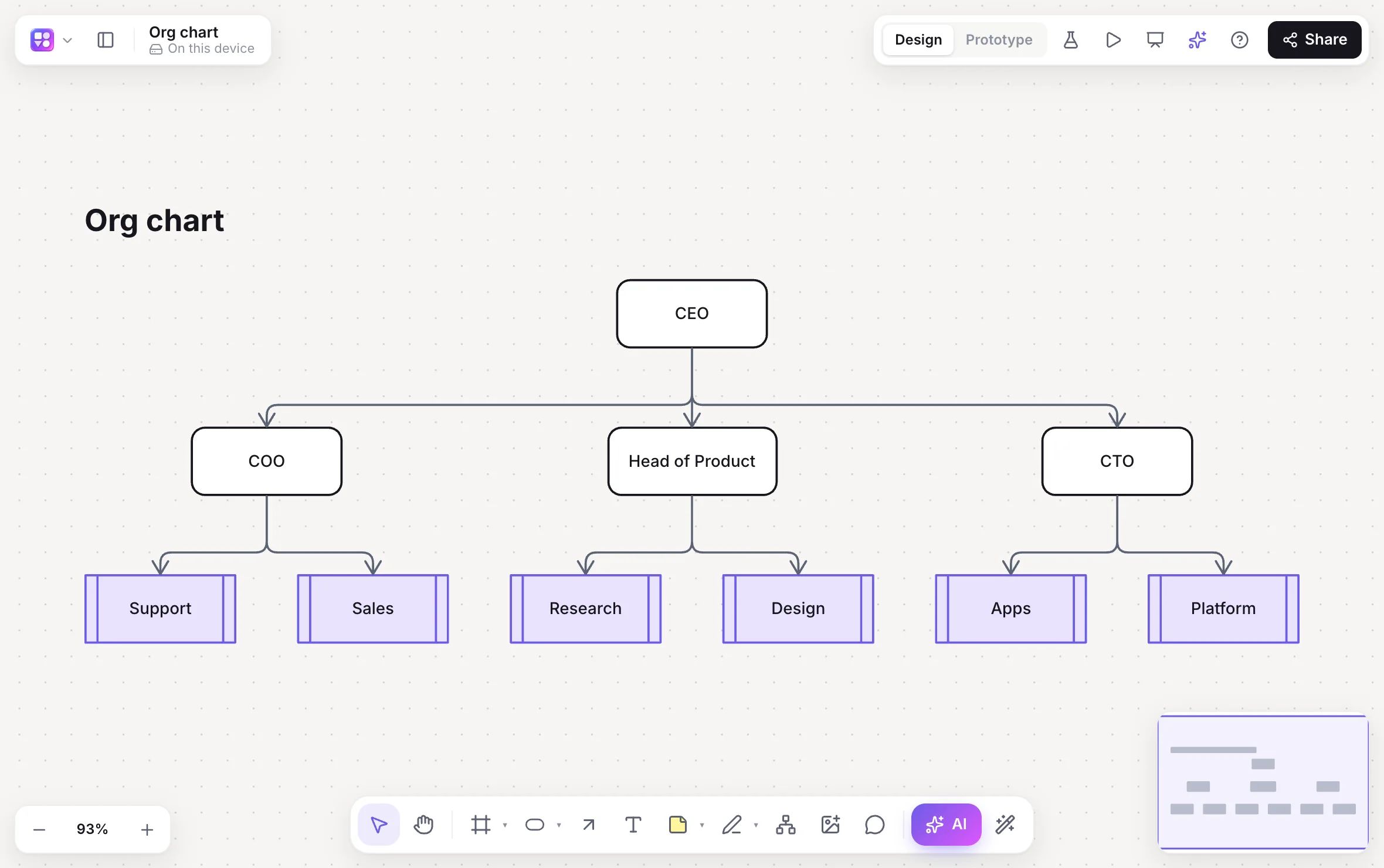
Paste people and their managers from a spreadsheet; one click draws the chart.
Sequence diagrams
Participants, lifelines and messages from a sentence or Mermaid.
ER diagrams
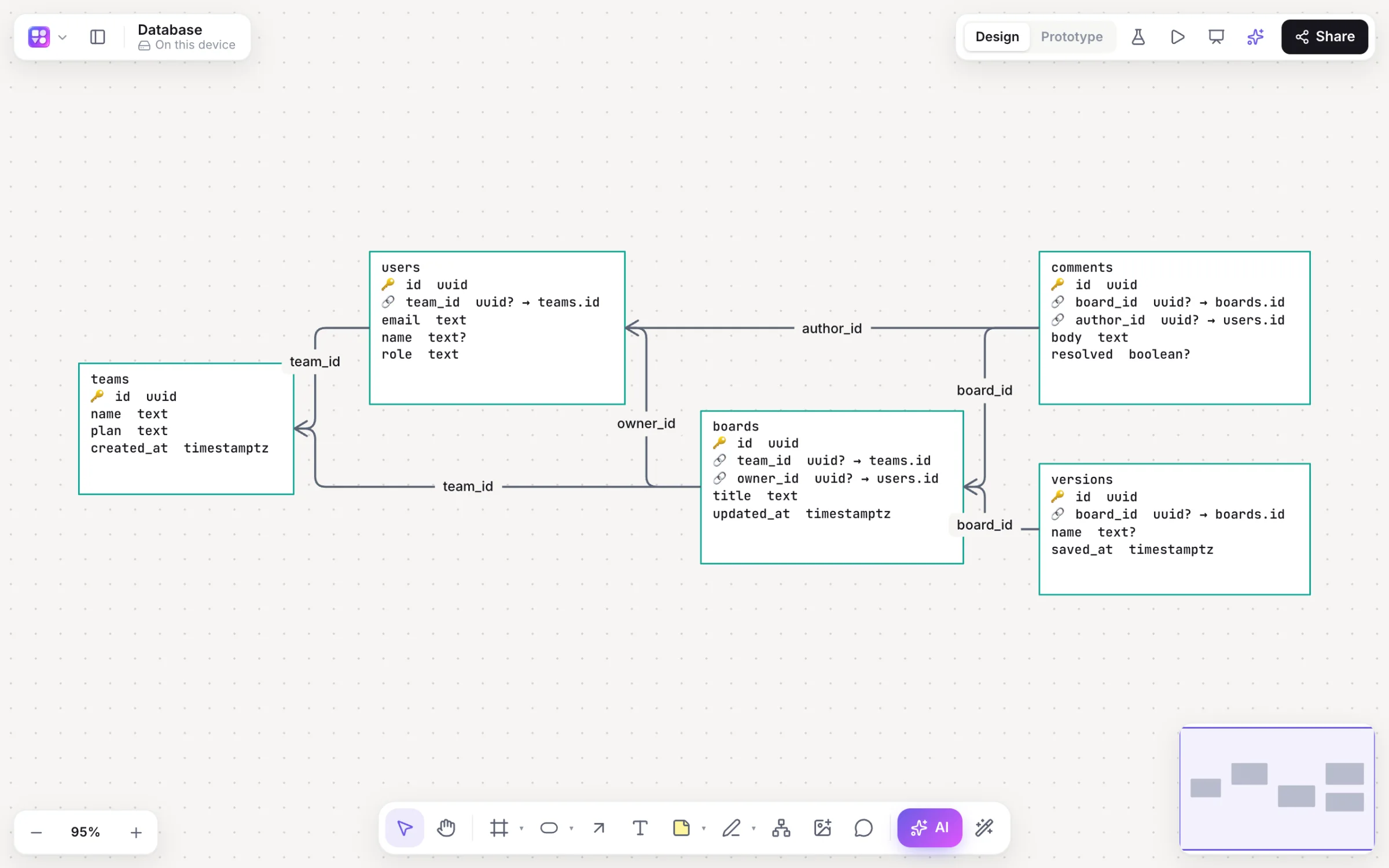
Tables and relationships from SQL or Prisma, and SQL back out.
Roadmaps and timelines
Lanes, dated bars, milestones and a Today line you can drag.
Sitemaps
A page tree with each page’s sections.
Architecture
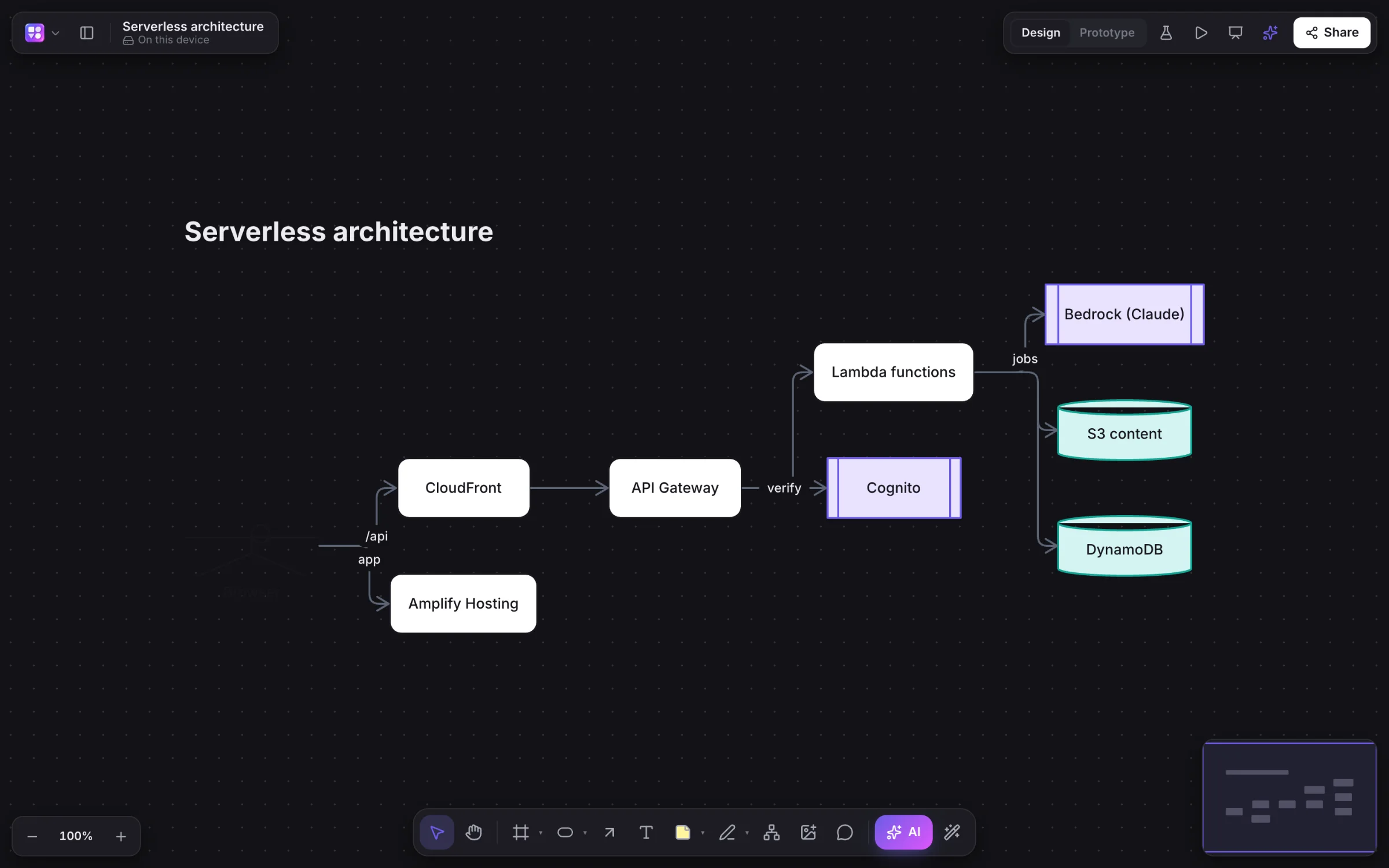
Cloud and system diagrams from the serverless template, light or dark.
How it works
Make a diagram three ways.
From the keyboard
Single-key tools: R rectangle, O ellipse, D diamond, C connector, M mind map.
From a template
Flowcharts, mind maps, a sitemap, an OAuth sequence, a serverless architecture and an org chart.
From a prompt
Press /, pick a kind and describe it; the AI draws it and Builderii lays it out.
From what you have
Paste Mermaid, SQL, Prisma or spreadsheet cells, or import Excalidraw and draw.io files.
On the canvas
Real boards, made in Builderii.
Questions
Good questions.
Is this diagram maker free?
Yes, to start. Builderii’s Free plan has every feature and 200 AI jobs a month per person, for up to 2 boards with up to 50 components on each. Pro takes those limits off for $10 a month billed yearly, or $12 month to month.
Which diagrams can I make?
Flowcharts, process and workflow charts, mind maps, concept maps, org charts, sequence diagrams, ER diagrams, sitemaps, roadmaps and timelines, architecture and block diagrams, plus wireframes and clickable prototypes.
Can AI make the diagram for me?
Yes. Press /, pick a kind (flowchart, mind map, sequence, sitemap, roadmap, database, Mermaid and more) and describe it. Select part of a diagram to have the AI change just that part.
Which formats can I export?
PNG, SVG, PDF (a page per frame), PowerPoint with speaker notes, draw.io, Mermaid code, SQL for database diagrams and a Builderii file, or copy the board as an image.
Can I bring diagrams from other tools?
Import Excalidraw and draw.io files, paste Mermaid code for editable shapes, paste spreadsheet cells for a table (or an org chart), and paste SQL or Prisma for a database diagram. A screenshot of an existing screen or diagram becomes an editable wireframe or flowchart through the AI bar’s image button.
Keep reading
More ways to use Builderii.

What do you want to build?
Start with a prompt, a template or a blank board. It’s free to start.