
Pick Builderii if…
- You want diagrams in the browser, on any computer
- You want AI to draft and update diagrams
- Your team edits together, live
- Flowcharts sit next to product screens and plans
Visio alternative
Visio is the classic for business diagrams, and a lot to buy and install for a flowchart. Builderii draws the diagrams most teams need in any browser, has an AI that does the first draft and the changes, and lets the whole team edit together.
Works in your browser · No card · Free to start
In short
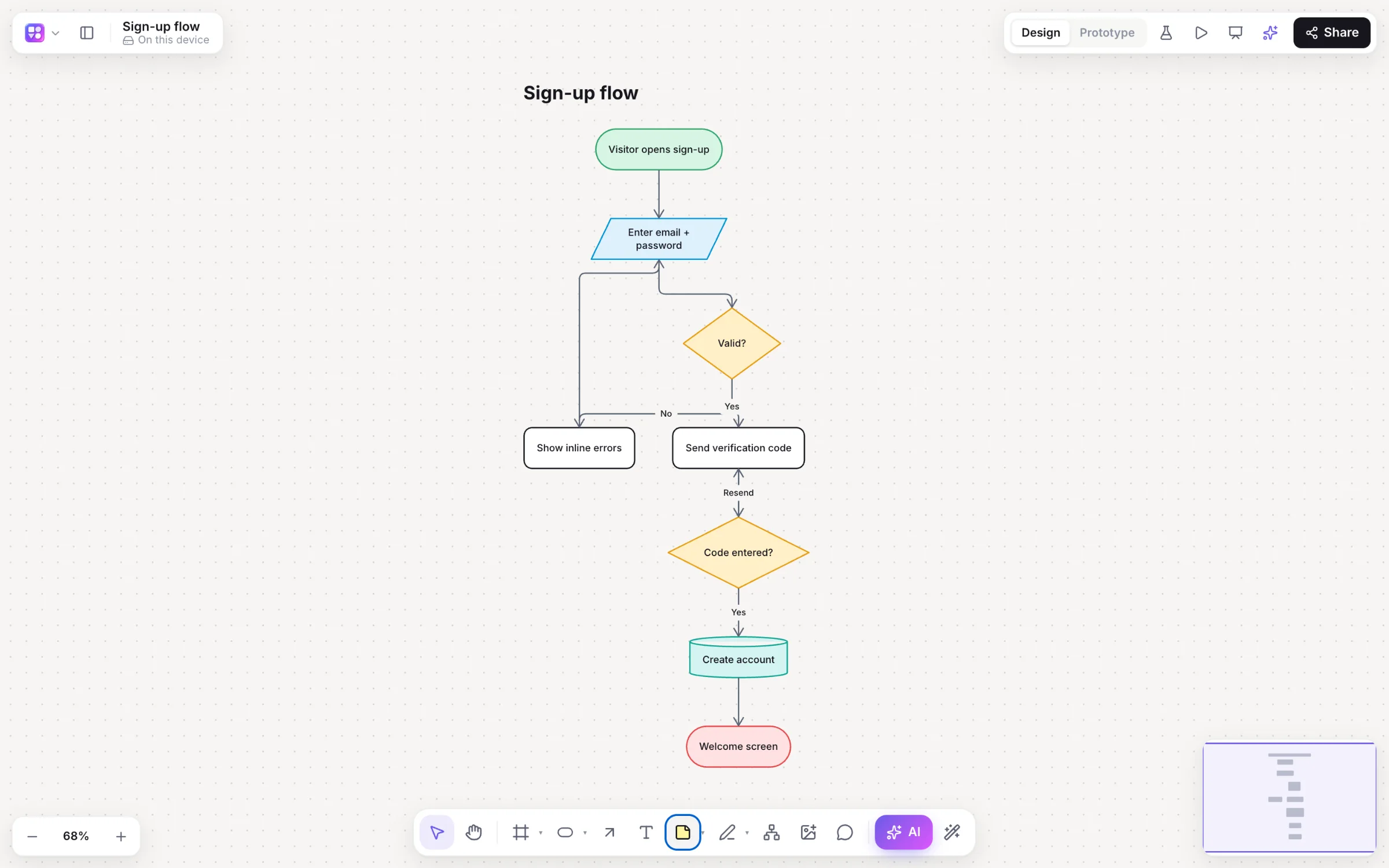
Builderii is a Visio alternative, free to start, that runs in any browser, on a Mac or a PC, with nothing to install. Its AI draws flowcharts, sequence diagrams, ER diagrams, sitemaps and roadmaps from a sentence and changes them in place, a spreadsheet becomes an org chart in one click, and your team edits live with cursors and comments. Visio is the better pick for its huge stencil libraries, BPMN and network diagrams, and data-linked diagrams in the Microsoft world.
Why teams pick Builderii
Mac, Windows, Linux, a Chromebook, a tablet or a phone, with every feature on each.
Describe a process and get a clean flowchart; select a step and ask for a change.
Paste people and managers from Excel; one click draws the chart.
Paste SQL or Prisma for an ER diagram, and export SQL back.
Cursors, comments with @mentions, roles and teams, version history.
Export PowerPoint with speaker notes, PDF, SVG, PNG and draw.io.
Switching
draw.io (diagrams.net) opens .vsdx files.
Save the diagram as a .drawio file.
Drop the .drawio file on a Builderii board: shapes, text, arrows and groups come across.
Give the AI bar a picture of the diagram and get an editable flowchart.
Side by side
| Feature | Builderii | Microsoft Visio |
|---|---|---|
| Runs on | Any modern browser, Mac included | A Windows desktop app and a web version |
| Flowcharts and org charts | Yes; a pasted spreadsheet becomes an org chart | Yes, with large stencil libraries |
| BPMN, network and floor plans | Not built in | Yes |
| Live collaboration | Cursors, comments, roles, teams | Co-authoring in Microsoft 365 |
| Wireframes and clickable prototypes | Built in | Wireframe stencils |
| Price to start | A free plan with every feature, for 2 boards; Pro from $10 a month | Paid plans |
Compared from each product’s public pages in October 2026; features change, so check before you decide. Product names are trademarks of their owners. Builderii isn’t affiliated with or endorsed by them.
Which to pick
Questions
Yes, to start. Builderii’s Free plan has every feature and 200 AI jobs a month per person, for up to 2 boards with up to 50 components on each. Pro takes those limits off for $10 a month billed yearly, or $12 month to month.
Not directly: there’s no .vsdx import. draw.io opens Visio files, and Builderii imports the .drawio file you save from there. Or give the AI bar a picture of the diagram to redraw it as an editable flowchart.
Yes. Builderii runs in any modern browser on a Mac, Windows, Linux or a Chromebook, with nothing to install.
Yes: a slide per frame, in reading order, with speaker notes. PDF, PNG, SVG and draw.io too.
Keep reading

Start with a prompt, a template or a blank board. It’s free to start.