
Org chart maker
An org chart maker that starts from your spreadsheet.
Drawing an org chart box by box is tedious, and it’s out of date by the next hire. In Builderii you paste the list of people and who they report to, and the chart draws itself. Paste the new list next quarter and draw it again.
Works in your browser · No card · Free to start
In short
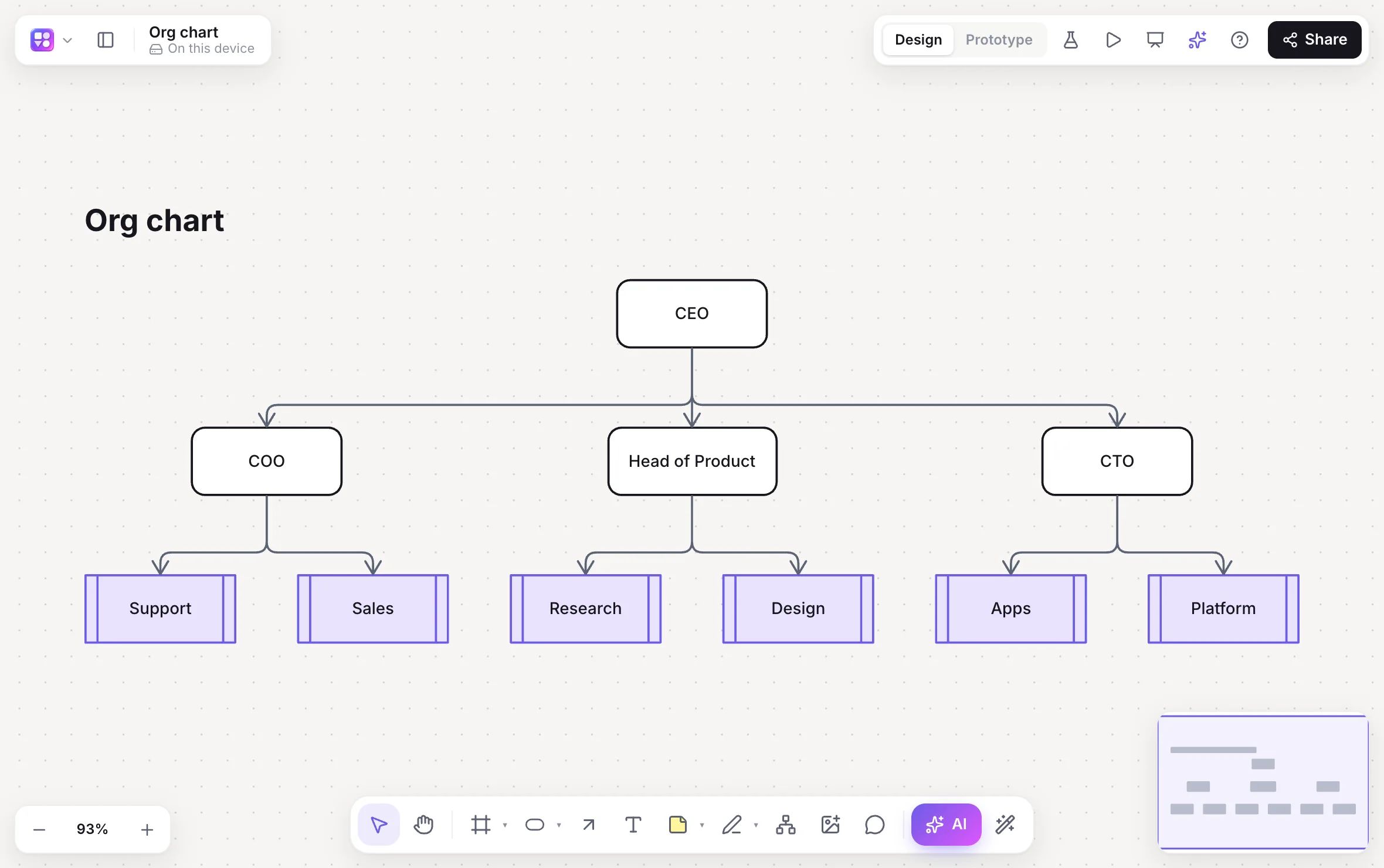
Builderii is an org chart maker that starts from the list you already have, and it’s free to start. Paste cells from Excel or Google Sheets, or import a CSV or TSV file, with each person and their manager: Builderii makes a table, and one click redraws it as an organizational chart. Or start from the Org chart template. Edit it like any diagram, share it with your team, and export PNG, PDF or PowerPoint.
- Input
- Cells pasted from Excel or Google Sheets, or a CSV or TSV file
- Needs
- A column for each person and one for their manager
- Or start from
- The built-in Org chart template
- Price
- Free plan with every feature, for 2 boards; Pro, unlimited, from $10 a month
What you get
Org charts, without the box-pushing.
From Excel, Sheets or CSV
Paste cells or import a CSV or TSV file.
One click to a chart
When a table names people and their managers, one click draws the org chart.
A template
Start from the built-in Org chart template and type over it.
Style it
Colours, shapes, fonts and a hand-drawn look, from the inspector.
Present it
Frames become slides with speaker notes and a presenter view.
Export
PNG, SVG, PDF or PowerPoint, or embed the live board on your intranet.
How it works
From a spreadsheet to an org chart.
Copy the cells
In Excel or Google Sheets, select the column of people and the column of their managers.
Paste on a board
The cells become a table. Or import a CSV or TSV file from the main menu.
Make it a chart
One click redraws the table as an org chart.
Share it
Invite people to view or comment, present it, or export PNG, PDF or PowerPoint.
Questions
Good questions.
Is this org chart maker free?
Yes, to start. Builderii’s Free plan has every feature and 200 AI jobs a month per person, for up to 2 boards with up to 50 components on each. Pro takes those limits off for $10 a month billed yearly, or $12 month to month.
Can I make an org chart from Excel?
Yes. Copy the cells with each person and their manager from Excel (or Google Sheets) and paste them on a board. They become a table, and one click redraws it as an org chart. A CSV or TSV file works too.
What columns do I need?
A name for each person and the name of the person they report to, one person per row.
Can I export the org chart to PowerPoint?
Yes. Export to PowerPoint (a slide per frame, with speaker notes), PDF, PNG or SVG.
Keep reading
More ways to use Builderii.

What do you want to build?
Start with a prompt, a template or a blank board. It’s free to start.